Indymill CNC Controller -the final choice- and WHY

To get the best possible CNC driver / firmware setup, in combination with the CAD and CAM programs that are required, I tested the following setups with the Indymill hardware:

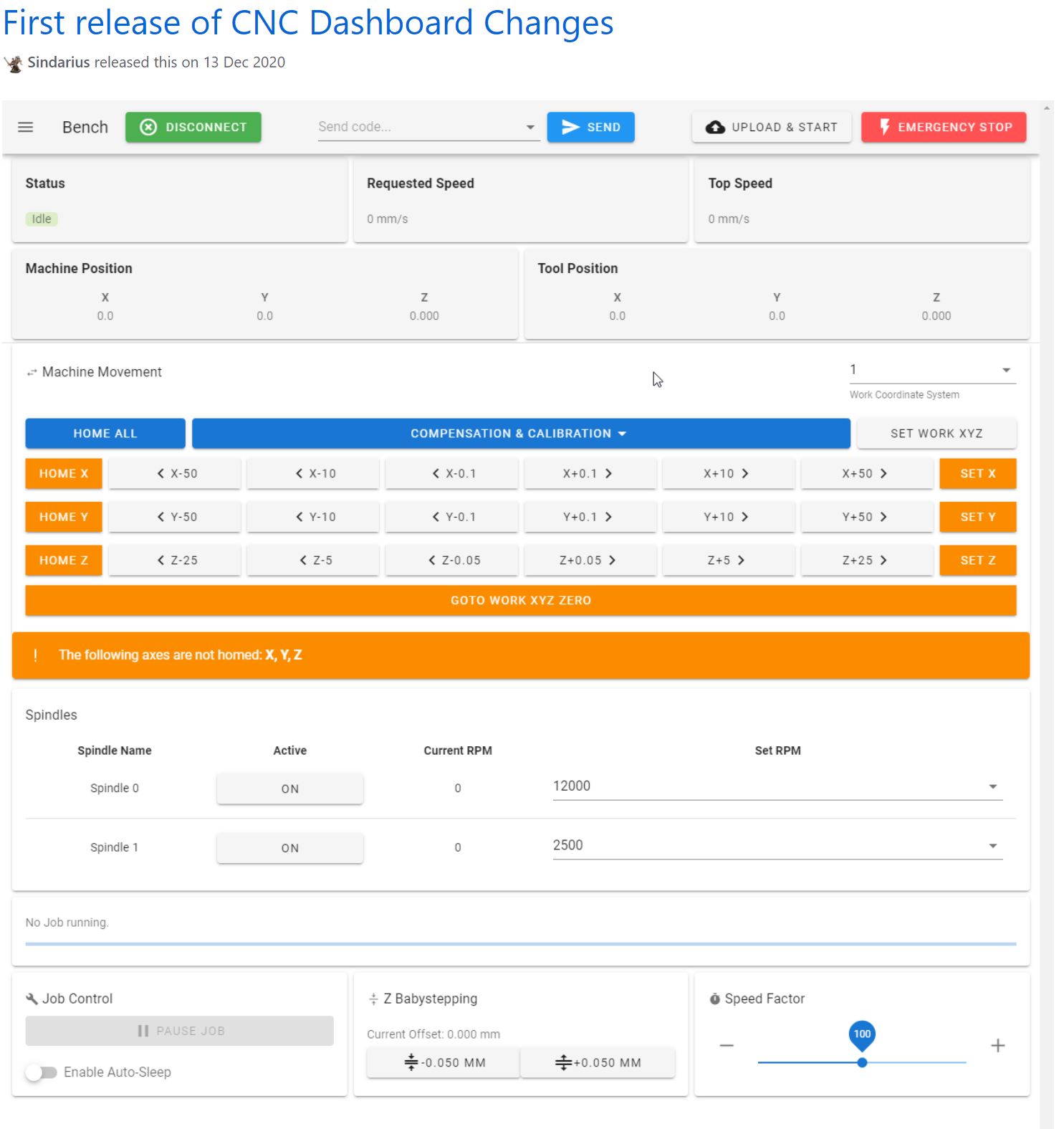
1) Reprap 3.3 & the Duet2wifi.  STL’s are made with OpenScad and then converted either online or with Estlcam to Gcode (.nc files).  The Gcode is then uploaded via Duet webinterface and run on the local reprap driver board.  Not chosen by me beacause it proved impossible to run a gcode stream online from the PC to the USB interface of the Duet2wifi board.  It is, however, possible to attach a serial handwheel to the Duet2wifi and manually control the CNC setup.  And dual axis squaring is also easily made possible.  Actually, the Duet reprap CNC setup is very mature and customizable.  I still have this setup as backup and by switching the connectors from the Indymill over, I can easily switch to this setup.  Some advantages of this setup are a.o.  the webinterface and the ease of having an automatic squaring gantry on the 2 Y axes with individual endstops.  I also learned that Estlcam can generate Gcode that I can then send via the webinterface to the Indymill CNC machine which works very well.  (I make my designs in Openscad and save this as .STL files. Estlcam can then convert these .stl files to .nc files…, using the machine configuration to get the code properly generated for the Indymill’s dimensions and hardware settings)

2) GRBL, Estlcam & Openscad, Marlin & GT2560 (A) board; This is also working out of the box and emulates a GRBL driver board. The main reason to NOT use this is the fact that the GT2560 board just has not got enough pins available onboard for things like a handwheel and other outputs for accessories.  The second thing that prevents me from going this way is the fact that it proved impossible to have a functional LCD attached that shows things like position, speed, status et cetera.

3) Mach3, FreeCad & USB CNC ‘barebone’ .  This is actually a very solid and reliable solution BUT I could not get it to do any way of squaring my dual Y axis setup.  Still investigating this…

4) GRBL, Estlcam & Openscad & MKS DLCV2.1 board with TFT 3.5 “;  Also for this setup: No option for squaring the dual Y axis setup.  But- this is a very neat solution for smaller machines.  or larger, if you use external drivers.  The nice option of this setup is the 3.5 inch LCD that also comes preconfigured for CNC.  I use this for my small 3018 CNC.

5) GRBL, Estlcam& Openscad & Mega2560 & RAMPS 1.6 shield. 

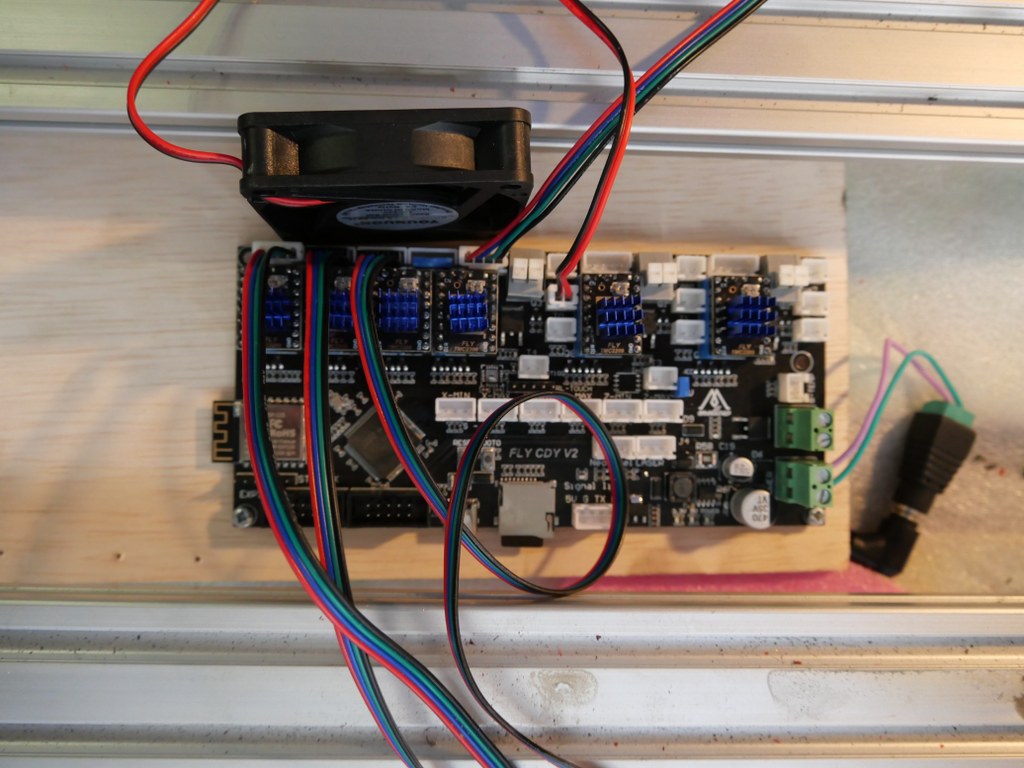
DUET2WIFI clone Mellow FLY-CDY-V2


MACH-3 with a generic USB-CNC converter

I also have an original USB Mach3 interface with a. o. a handwheel unit. This works very straight forward but needs a PC to keep a stream of Gcode commands running to the USB controller. I am not very fond of this solution since a little mishap will destroy your objects that is being carved.  But- this appears to work very well for many people so I have set this up after I had the FLY-CDY-V2 with the reprap 3.3 and the Duet webinterface running, to get to know the differences.  I must admit it works straight forward without any problem.  I decided to have this setup available next to the GRBL Mega2560/GRBL shield solution.  The thing that keeps me from the USB-CNC solution is primarily the fact that this setup cannot auto-square my dual Y axis gantry. The Mega 2560/GRBL shield solution does this squaring very well.


GRBL with MKS-DLCV2.1 and the TFT screen

And- the most in use hobbyist solution: The GRBL boards like the above shown setup from MKS.  I have this running on my old 3018 CNC milling machine and it always works well. This particular setup utilizes the preconfigured  KMS DLC 2.1 board and the preconfigured MKS TFT for CNC.  All is very neat and since the drivers can be adde externally as well as interanlly, it is possible to drive real high currents if you want that.  These boards don’t do sensorless homing and usually put the 2 Y steppers in serial.  This means that you will never be sure that they are well aligned.

RAMPS shield for Arduino UNO and Mega2560 (and DUE?)

Still to discoverESP-based CNC board 6-axis on Openbuilds is very promising!

Unpopulated Controller

My mini shop

One of the 2nd floor bedrooms was converted into my 3.5×2  meters mini in-house workshop… The garage is used for my larger machines like the lathes, milling- and welding machines, laser cutter et cetera…

Hanging 3d printer

My last 3d printer I built just produced too much noise, mainly from changing the tools during multi-filament prints

Finally, I made a construction where the printer hangs in big elastic suspenders.  This took away any noise that was previously transferred to the wall, so no more problems with noises throughout the house.  Pfff…

Flightcase for the Indymill

This is only the lower part of the newly built flightcase for the Indymill.  It is 15cm high, 75 cm deep and 80 cm wide, all measured on the inside.

The top of the case is 22 cm high on the inside and it will get perspex windows at the front and top.  Wheels will get mounted at the rear so the case can be moved standing upright.

The Indymill will be mounted in rubbers underneath and on the sides of the frame.  The connectors to the electronics will be mounted in flightcase shells at the front.  When all is positioned correctly and connected, the Indymill will be placed in my garage where I will use it in my large(r) shop.

With the 1.5 Kw spindle I intend to mill aluminium and brass, but mainly aluminium.

1st Job will be to machine ‘flat’ the 8mm aluminium plate I have bought some time ago for the heated bed of my Voron 3d printer. The plate is 310x310mm wide and was not entirely flat when I received it, due to the way it was stamped instead of saw’d.  Now, I will be able to get it done right.  I will use the boring head from my other mill to get this done.  My other mill can only work with smaller objects, not anything as large like the Indymill can handle.


Flightcase for the Indymill’s electronics

Just ordered me a new case for the Indymill’s electronics from Thomann.de.

The idea is to get everything mounted in the cases, and use the control case with the lid open.  The control case gets connected to the Indymill case with multicables and – connectors. When not used, the cables get disconnected from the Indymill and from the control case and go in the Indymill’s case.  The electronics controls will be mounted in the lower part of the control case and the connectors are placed on top of the control panel that gets mounted flush with the  top rails of the bottom part of the controller’s flighcase.  When closed, everything is neatly stored and can be  transported damage-free.

I intend to store the controller case inside the Indymill case, but when moving it around the controller case will be separated from the Indymill case to prevent any possible damage to the mill.

And this is the front I designed for the controller flightcase. Right are the connectors and switches. I can use either the big multiconnector or the standard 4-pol round connectors for increased compatibility with other CNC machines..  The green face is for my Samsung Note10 (8 inch) tablet.

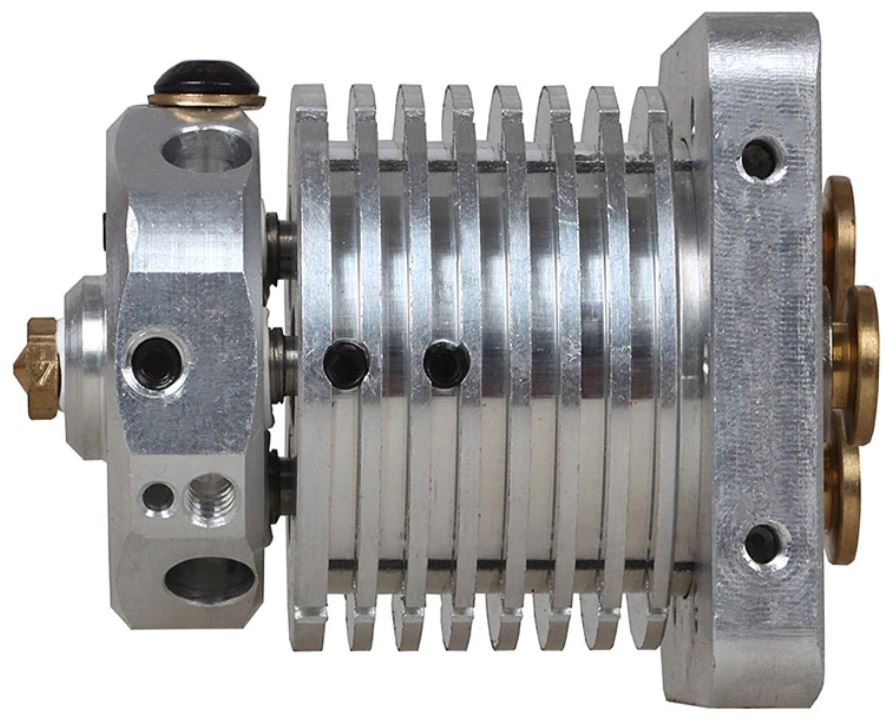
Triple mixing hotend for A30M

Next to the penta non-mixing hotend, I recently bought this mixing triple hotend, to experiment with it on the A30M.  It is not the same as the Geeetech original triple mixing hotend, however it does have some resemblance.

Obviously, this hotend requires 3 extruders via bowden tubes.  The extruders I have are all Chinese clones of the 1:3 geared bondtech extruders.

The 3 extruders will be placed on the top horizontal aluminium frame, right where they are originally placed.  In fact, I am rebuilding the machine like the A30M from Geeetech that has a mixing triple hotend.  But- mine will have the Duet2wifi motherboard instead.

Soon as I install this, I will upload pictures and the config files (and all tool files like tfree, etcetera for the three tools as well).


CNC pendant for Duet2wifi and Indymill

On the Duet support site a very good description and software for rebuilding a Chinese CNC-pendant for the Duet2wifi is available.

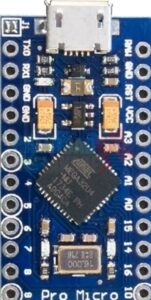
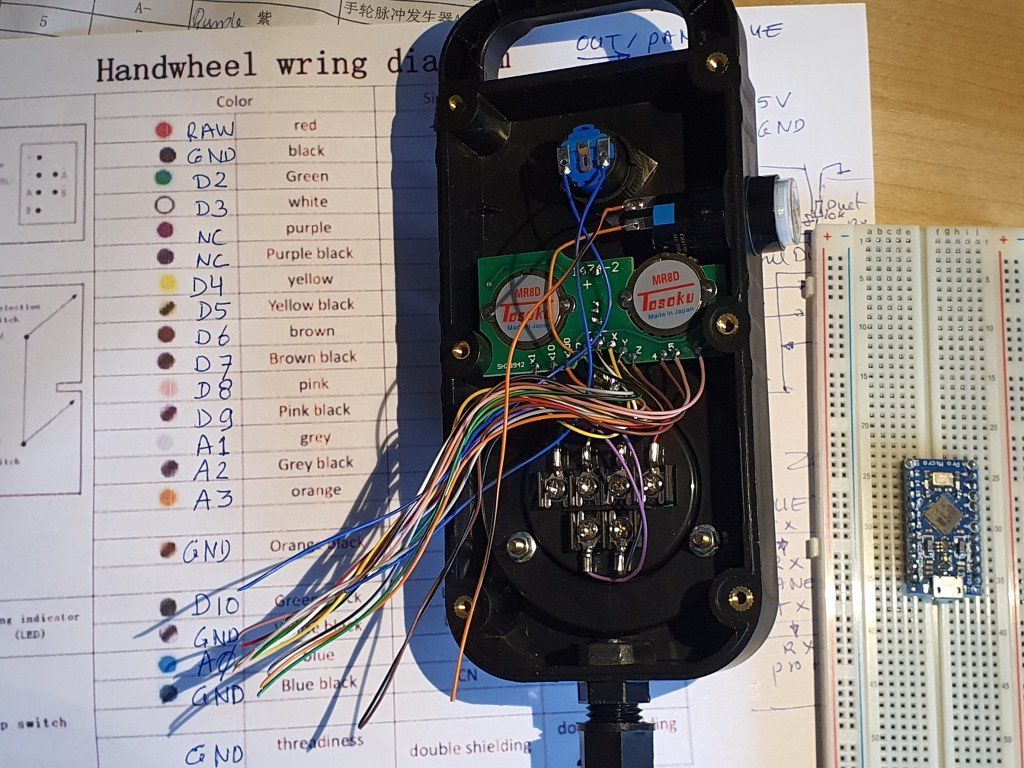
I used this description to program an arduino pro micro, and connect it to the pendant wired, place it inside the pendant and connected the pendant with 4 wires to the Duet.  This works very well.

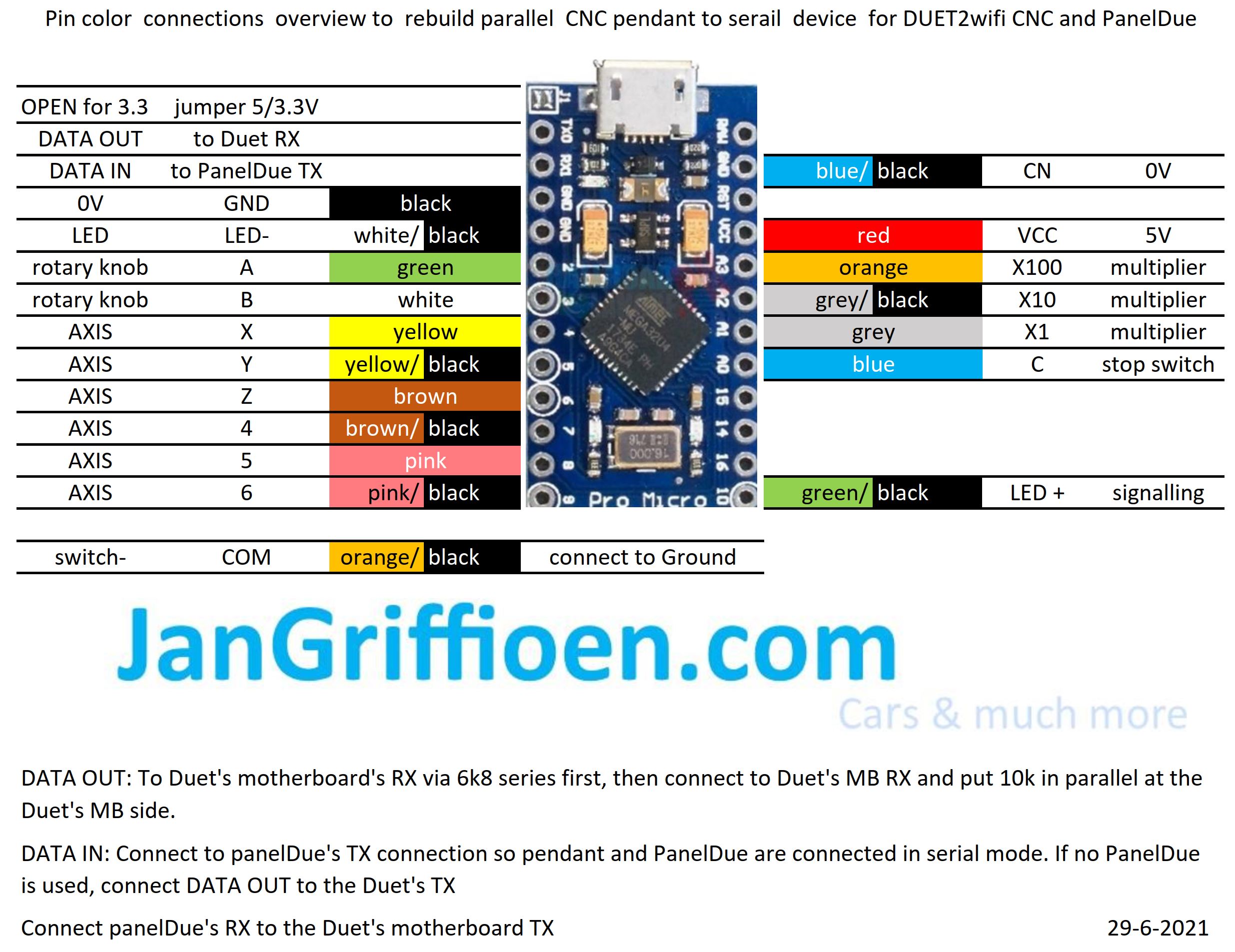
In the process, I developed some schematics that may be useful to you, available in this post:

Needed: an arduino pro micro and a pendant like this:

China Universal 5V 100PPR CNC 4 Axis Mpg Pendant Handwheel and Emergency Stop F/ Siemens - China CNC Handwheel, Mpg Handwheel


In the above picture, the coloured wires on the inside of the CNC pendant are shown. These wires need to be soldered to the correct pins of the Arduino pro micro (at the right)

Original ID 1965 leather front chairs for my Citroën ID20 convertible (1970)

2021-June 6th.

Original ID20 chairs for the convertible are very hard to find, especially lately.

Fortunately, I have a complete set on stock with the front chairs side handle to fold the back forward, both left and right in the original brown leather version.

Also, I have the rear bench and back from the same donor ID (1965).  The rear bench don’t fit in my 1970 ID20 convertible but the front chairs will fit nicely.  I will get the car tomorrow out of the winter storage and will put the chairs in this week.  Then, finally, I can take the temporary Volvo C70 chairs out.

I will post some pictures to show what this looks like, asap!

Dometic tropicool TC21FL silenced

Recently I bought us a portable dual power cooler from Tropicool, 21 liters content.  BUT- as I started it up, the noise was a bit more than I expected.

I already own a larger ‘VRIJBUITER’ 38 liters portable freezer/cooler with a  compressor that I silenced last year.

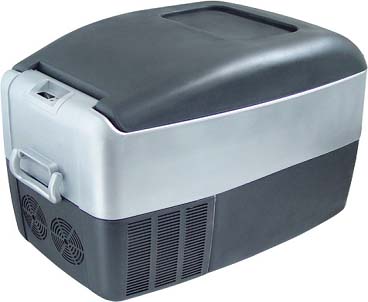
DC mini fridge/cooler - DC-40Y (China Manufacturer) - Refrigerator - Consumer Electronics & Lighting Products - DIYTrade China manufacturers

This 40 liter machine had a 50mm (2 inch) fan to cool the condensor and I completely repositioned some movable parts to get a 120mm (4.8 inch) fan in the machine instead.  The 120 mm fan is a silent fan and this resulted in an almost silent and  better operating freezer/cooler.  But- this machine does not run on the car battery, only on A/C  230 Volts.

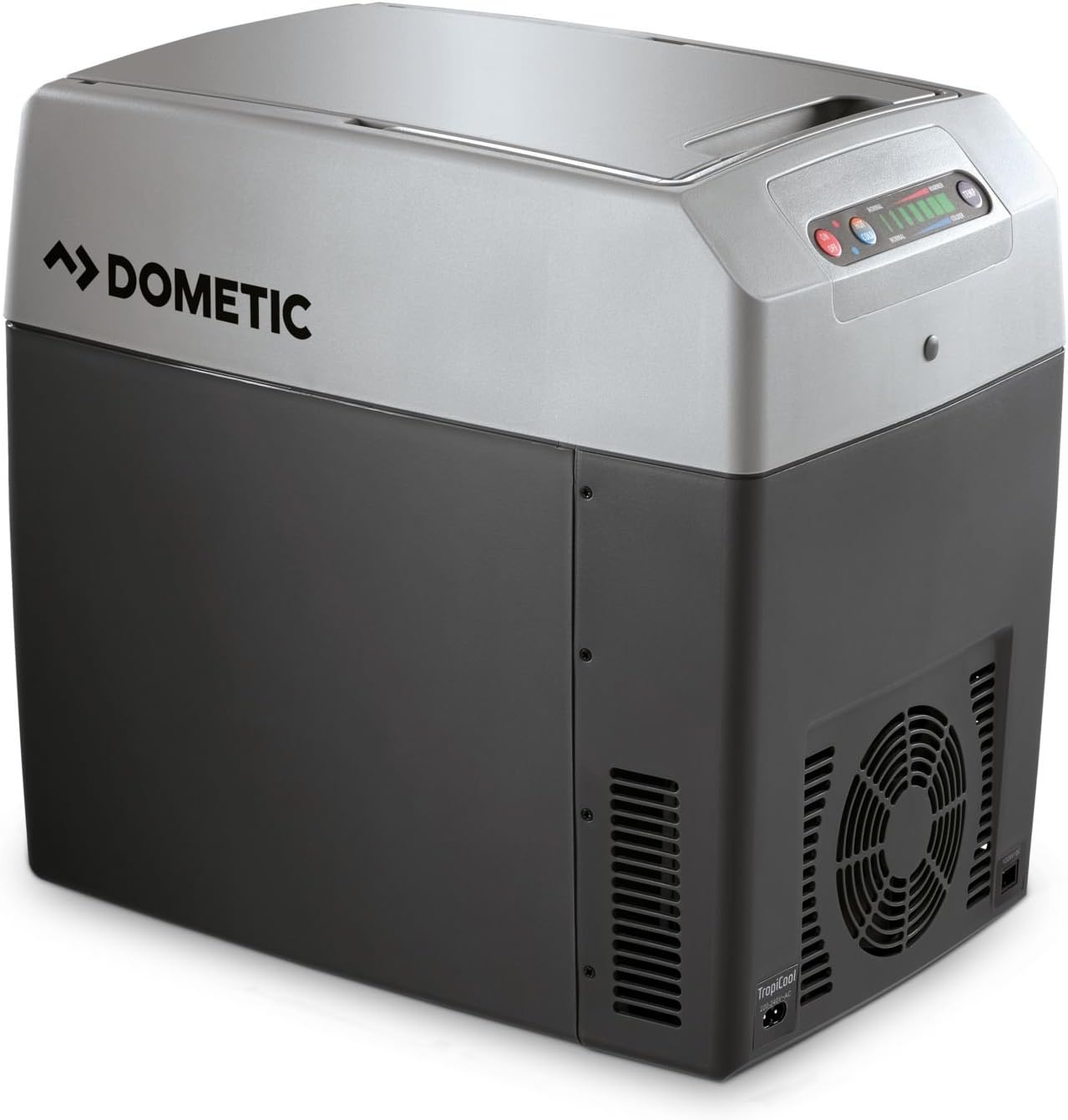
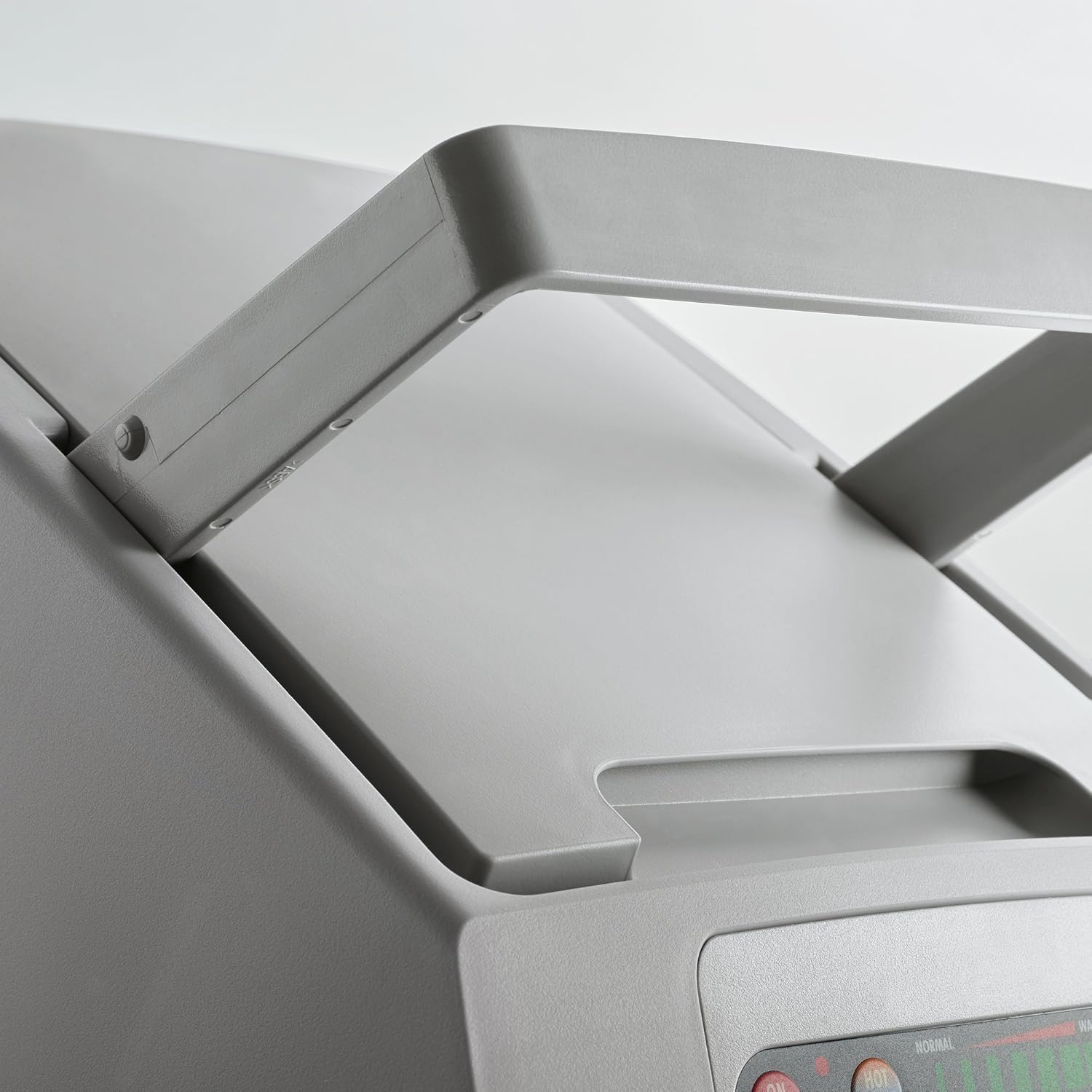
So- back to the Dometic machine:  This is the machine

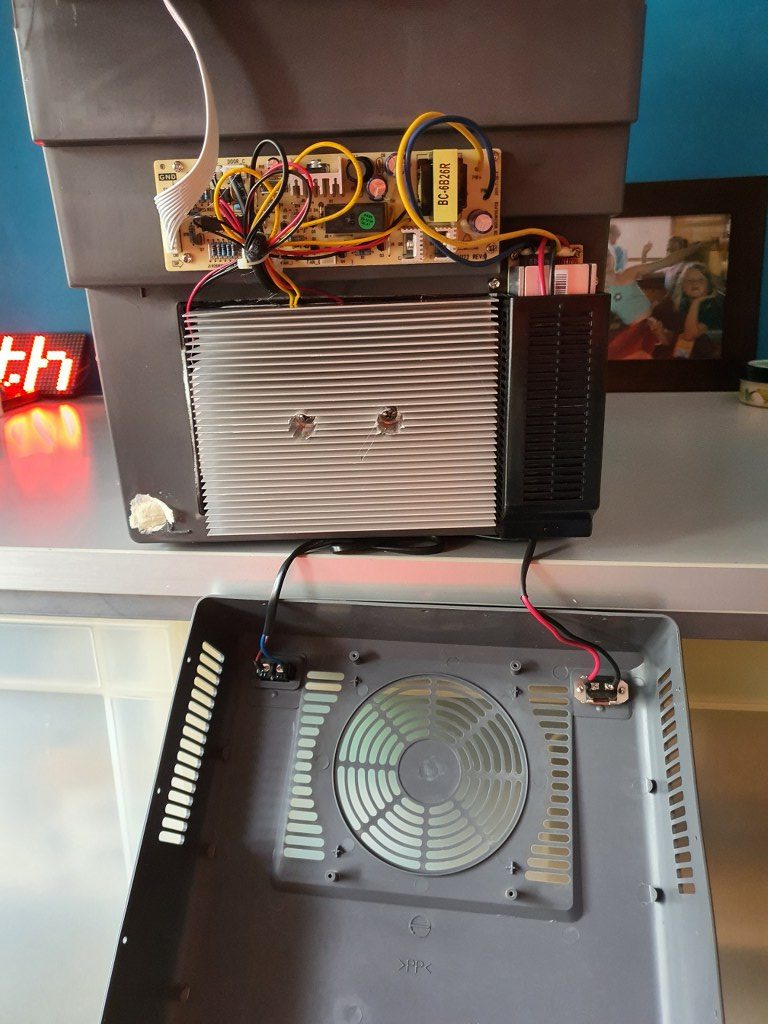
At the front lower  part a large area shows a fan behind the plastic front.  A 12 Volts DC fan is positioned behind this front . The fan is managed by the electronics and only switches on and off. No PWM or similar technique is used.  This cooler is not working with a compressor but with a/some Peltier element(s) and cooling/heating radiators, so a big aluminium block needs to be cooled by the fan to get the machine to work (and cool or warm the inside).  This machine can either cool -25Deg C or warm +25Deg C the inside.  A failsafe mechanism prevents freezing and temperatures above 65 DegC.

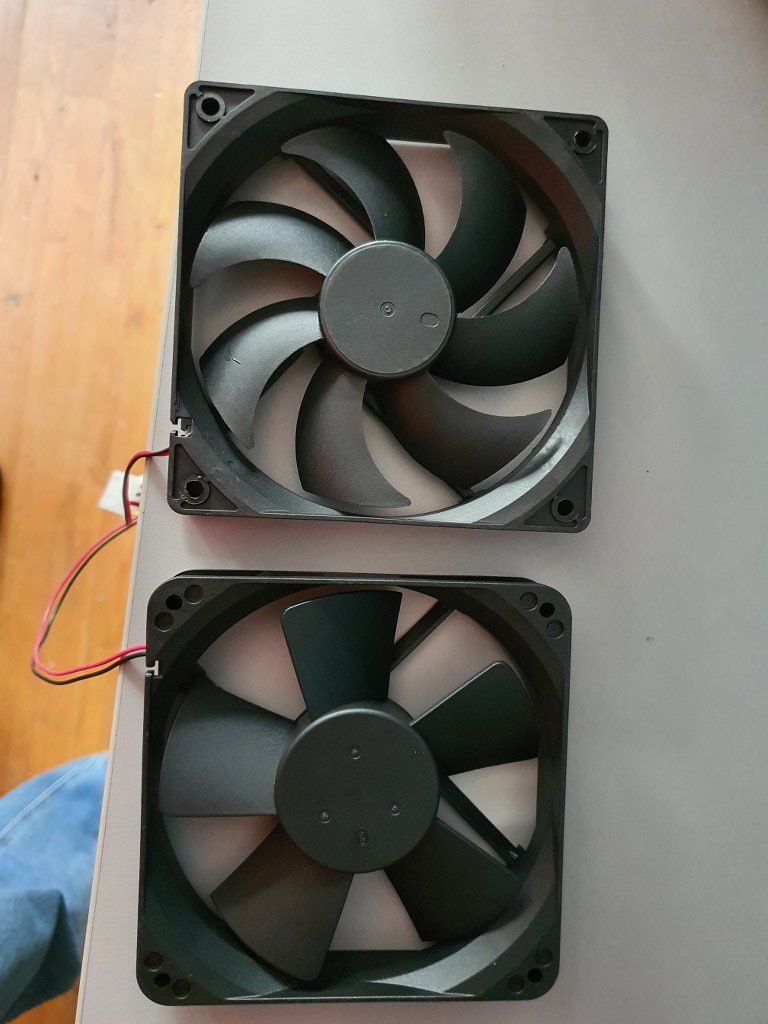
The picture below shows the original fan below and the replacement fan above.

The original fan was IMHO rather loud at 53 dBm (at 50cm distance), I presume mainly due to its design.

On the net, I read that most users of this machine are pleased with it and don’t think it makes much noise.

But- I need to operate this in our rented place which can either be an apartment, B&B or hotel room during our visits so I want it to make as little noise as possible. The replacement fan is a ball-bearing super-silent PC fan and runs at 12 Volts. 

The replacement was quite easy: Open the lower front by removing all crews around and bottom.  Disconnect the fan-connector from the electronics board.  Unscrew the old fan.  Screw the new fan in place.  Connect the new fan to the electronics board, replace the housing part and screw it back in place.

So- the result is that this cooler now actually works a lot more silent, AND a lot better.

I could not get a fixed dBm reading with my portable dB-meter due to the low noise level.

Cooling goes faster than before at about 30% as I measured it in difference in the before- and after situation in cooling to 5 degrees C from room temp of 25 deg C.  Another succesfull project!

We’ll see how we like this cooler during our short stay in France this summer, in Granville!  C) JG 2021-06-30.

Afterthoughts:  To be sure that the cooler is indeed super silent at night, I also put in a DC voltage regulator that can regulate the voltage for the fan between 5 V DC and V max (about 12Volt).

During oiur holiday in France, the machine worked awesome.

In the hotel, we experienced no disturbances from the cooler at all, nore in the car.

And it kept everyrhing cool without too much noise.


FLY 407 Motherboard RRF3+ wifi + BTT 2.4 inch TFT + multi-extruder

2021-05-11

I got the Mellow Fly 407 board in today, and it now works awesome!

I hooked the Mellow dedicated wifi unit to EXP 1 and EXP2 and to the serial TFT connection, programmed the microSDcard offline on the PC with the files from the proposed Github site and it all went great!  (The little added user manual is very good, just follow the directions and it can’t go wrong!)

Burnt the board’s firmware first, then the firmware of the wifi esp module and after setting up the wifi with YAT via USB, I programmed the wifi settings.  Then, with the Duet’s WDC PC-remote console via wifi, I uploaded the FLY 407 motherboard with all the latest available firmware: RRF3.4 beta and the latest wifi- and DWC versions.

Then, I removed the serial connection between the TFT connection on the motherboard and the wifi module and plugged in the BTT 2.4 inch TFT at the same serial port.  Since there is only 1 tft port available, I use the same serial port as I used for programming the esp wifi module.  I already put the RRF3 firmware on the TFT unit.

Well, the results are awesome! On the TFT after connecting you see the extruder step from 0 to 1-2-3-4 and back to 0 so this all works very nice!

I must be honest here: I also tried the Mellow 7 inch screen but this is not yet really working as well to me as the little BTT screen IMHO.  The Fly screen is a lot bigger, though, and the Fly 7 inch TFT has great potential.  I know that it will also take some getting used to the FLY’s TFT screen layouts.  The access to the macro and gcode directory is nice, but since everything is placed differently than the PanelDue screens, it might just take some time to appreciate it more.

error: Content is protected !!