Out for a drive with the Cabrio, 2019 June 1st, Woerden

Today I needed the space in my garage, and I washed and waxed the DS cabrio afterwards. Then I took a fresh box of cigars and took the old lady for a ride through the countryside. And, at a quiet place, I took some photos,both with thehood up as down. The weather was fine and it was an enjoyable ride!

I think it will be time to start a new project, since the DS cabrio is in perfect shape, not everything iun the interior is perfect yet, but maybe I should leave that for a new owner… The engine runs well, both on LPG and Euro gas. Shifting is well, steering and light, everything is OK. And the airco also runs smooth.

[Best_Wordpress_Gallery id=”14″ gal_title=”er op uit met de cabrio juni 2019″]

DOT3 brake fluid in my Traction Avant

The Traction Avant is regularly parked at our place for long periods of time.

Each time, the level of my brake fluid when I picked up the car was at minimum, while I had put the car away with maximum level.

The reason turned out to be that on almost all parts where the original meager mineral brake fluid could flow under gravity along a brake cup, it actually did.

The result was a lot of filth and an empty reservoir.

The residual pressure that keeps the rubbers sealing nicely, drops off after a certain time and then this above mentioned problem arises.

The solution turned out to be upgrading to DOT3 brake fluid. DOT 3 has somewhat lubricating properties which in my experience keeps the seal between cylinder walls and brake cups closed.

I’ve been using it this way since 2015 and haven’t lost a drop of DOT3 since.

An additional advantage is that because of the lubricating effect the brake pistons no longer get stuck as a result of the long downtime during the winter, in combination with the hygroscopic effect of the old brake fluid.

It was quite a job to get the old fluid out completely, flushing with methylated spirits, blowing crosswise until all the methylated spirits were removed at each end point.

Then fill up with DOT3 and do some serious bleeding.

DOT 4 is not a good idea in any case, at least not with the original rubbers.

The additives in DOT4 cause the original rubbers to swell. If you want to use DOT4 or any other DOT version than DOT3, replace all rubbers and cups of the wheel brake and master cylinder with after market (so do NOT use old stock) rubbers and cups.

Good luck!

Update 3-2021: Everything is still fine with the brakes, I did remove the front brake cylinders as a precaution, cleaned them completely, flushed them out and filled them again with new DOT3.  

Vialle D4 LPG evaporator exchanged with Lovato RGV090 evaporator

Due to some diificulty in getting the Vialle D4 evaporator to work properly with the Citroën ID20 and due to the fact that the Lovato RGV090 is made especially for carburetted cars like the ID20, I decided to put the Lovato in the car, and get the Vialle out.

I had previously already overhauled the Vialle D4 with a so-called ‘kit’.  In this kit, all diapragms, the needle and the rubbers were provided.  But, after the overhaul, it never really worked well.

The reason for not working well has to do with a number of things after a lot of research.  First of all, the evaporator is actually far too big for the required power of the engine.  The engine produces a maximum of 90 hp and the Vialle evaporator is then actually still in the lower range.  The result is that everything works but that picking up based on the demand for LPG doesn’t work smoothly.  You notice that with careful acceleration.  You have to push the throttle quite a lot to have effect.

No problem on the motorway, but it is difficult when driving quietly in the city or off the highway.


The Vialle D4 does not have a vacuum connection, but shuts off and on with an electric coil. (the one top-right of the above phote) The D4 can therefore also be used for ‘single point injection systems’.

But, I only want the LPG installation to be used as old school self-suctioned carburetted LPG installation.

So, end of February 2020 I put in a factory new Lovato RGV090 which basically is a vacuum controlled evaporator with an electric choke coil.


Lovato RGV090


On the Lovato evaporator only 1 setting is possible, and that is about the point where the evaporator starts giving LPG on command (and how much, given a specific suction).  The big plastic screw that does this presses on a spring that makes the diaphragm in the evaporator move more difficult when the screw is turned in (clockwise) and makes the diaphragm move easier on the suction of the air inlet when turned out.  This basically means that more LPG goes to the engine when the screw gets turned out more.

This is the setting that you should set to 1.5 % CO at 800-1000 RPM, the so-called stationary setting.

If you set this, the  2nd setting you must make is the throughput screw that is placed anywhere in the path between the carburettor and the evaporator.  Set this screw midway when you are setting the CO to 1.5 at stationary RPM.

After the stationary setting is done, try how the engine reacts to pushing the throttle.  If it does not react fast and firm enough, turn the throughput screw a bit out until the reaction at pushing the throttle is comparable to the situation on petrol.

Then, test drive the car and turn the throughput screw back a little every time until you lose power at full throttle. Then , turn this screw 0,25 to 0,5 turn open and you’re done!

PS: The one screw on the evaporator is NOT a stationary screw.  Although it does affect stationary RPM due to more/less LPG, you can only set it right when you use a CO meter,  Otherwise, you can ruïn your car due to too lean settings.

If you want to do it completely correct, the CO at 3000 RPM should be checked and set to 2.5- max 4 %.  The balance between stationary RPM and RPM 3000 is a difficult one, but make sure that you will NEVER get below the minimum values of 1.5% CO at stationary and 2.5 % CO at 3000 RPM!  And- make sure you use both the screws in adjusting the CO%’s.  Especially at 3000 RPM, you must adjust the screw that is in the LPG line.

If you want a better installation, get a system that utilizes a CO plug that reads the exhaust values of CO to regulate the quantity of supplied LPG.  Such systems are available from Lovato and Vialle, both with injected AND carburetted LPG systems.  It does require some additions to your car’s exhaust but that is all very well possible, should you want it.


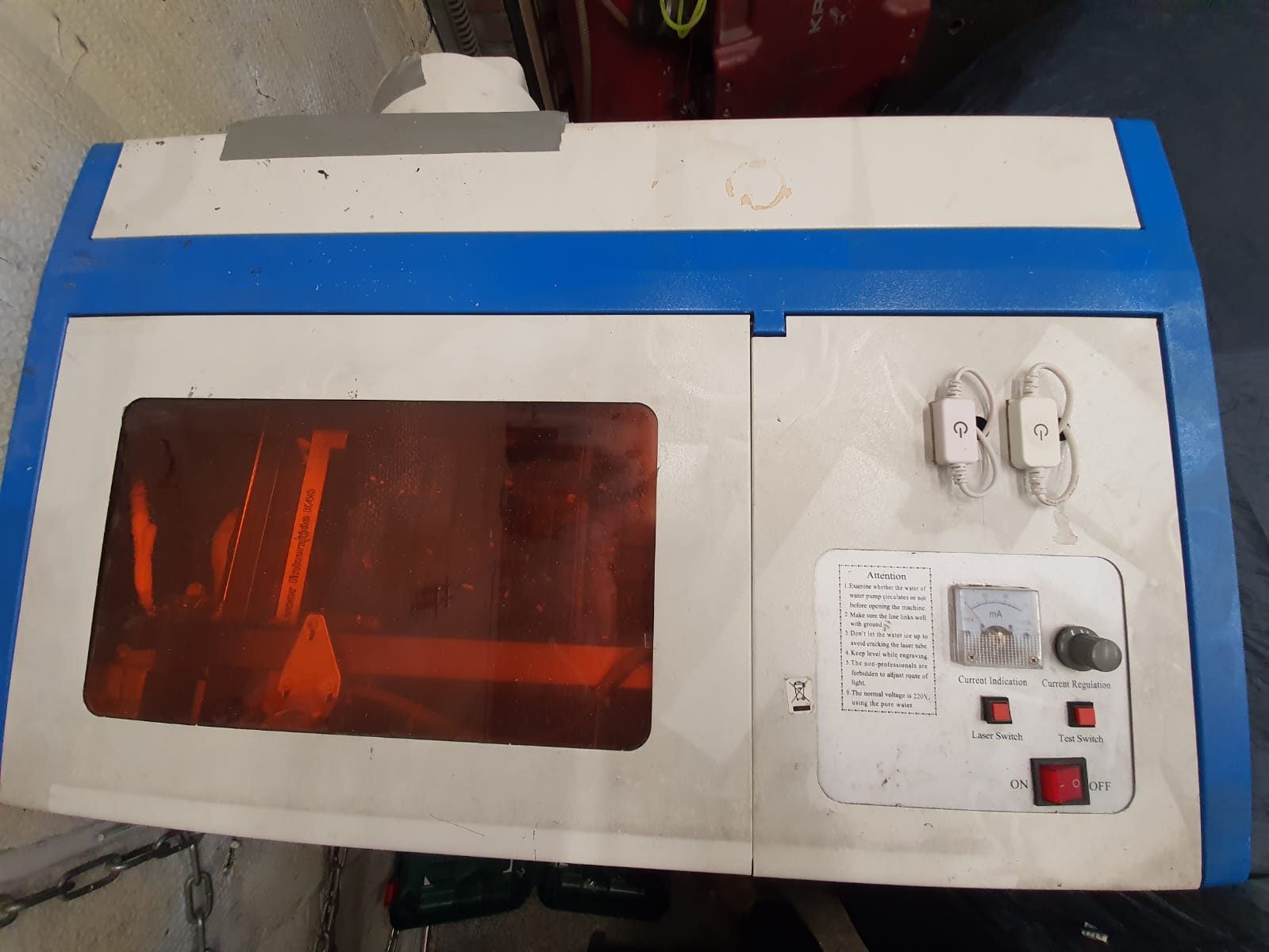
K40 lasercutter

My Chinese lasercutter which I bought back in 2014 has been upgraded over the years.  As many others do, I got the cooling system for the laser tube inside the casing, added some LED lights inside and also added an air pump for the laser head.

All in all the machine works fine now but the relatively small working area remains the bottleneck for using this machine for real interesting projects.

Mid-2020 I used the laser cutter for a couple of projects where I needed series of cut acrylic.  The machine handled this flawlessly, but I did put it outside to prevent any smoke from entering our home.

I do have some ideas about upgrading the machine with a larger workspace and put the electronics and water cooling system in a seperate housing.  No materials are needed for this, except 3 linear rails and some aluminium profiles.  But- (status May-2021)  I will start this project only if there is some work to be done with the machine since it is already working fine as it is, although the workspace is limited.

I use Inkscape (freeware) for making designs in SVG and import these .SVG files in K40whisperer (also freeware) which then  can send the required Gcode to the K40 lasercutter. This all works very well and fast, you don’t need a fast computer for this.  I use a 10 year old dedicated HP laptop for this.

In future use I want to make this lasercutter use the same board as I am using with my big LED laser cutter, so I can use GRBL on both.

As you probably know, a K40 or any other CO2 lasercutter can cut a specific kind of materials while a common LED lasercutter can cut other kind of materials better, due to the used kind of light on both which differ in wavelenghts.

The CO2 cutter can cut acrylic easily and the LED laser cutter can’t.

The LED cutter requires some sort of substance in the to be cut material to work properly.

Be aware that the security goggles you need also are specific for either macine.

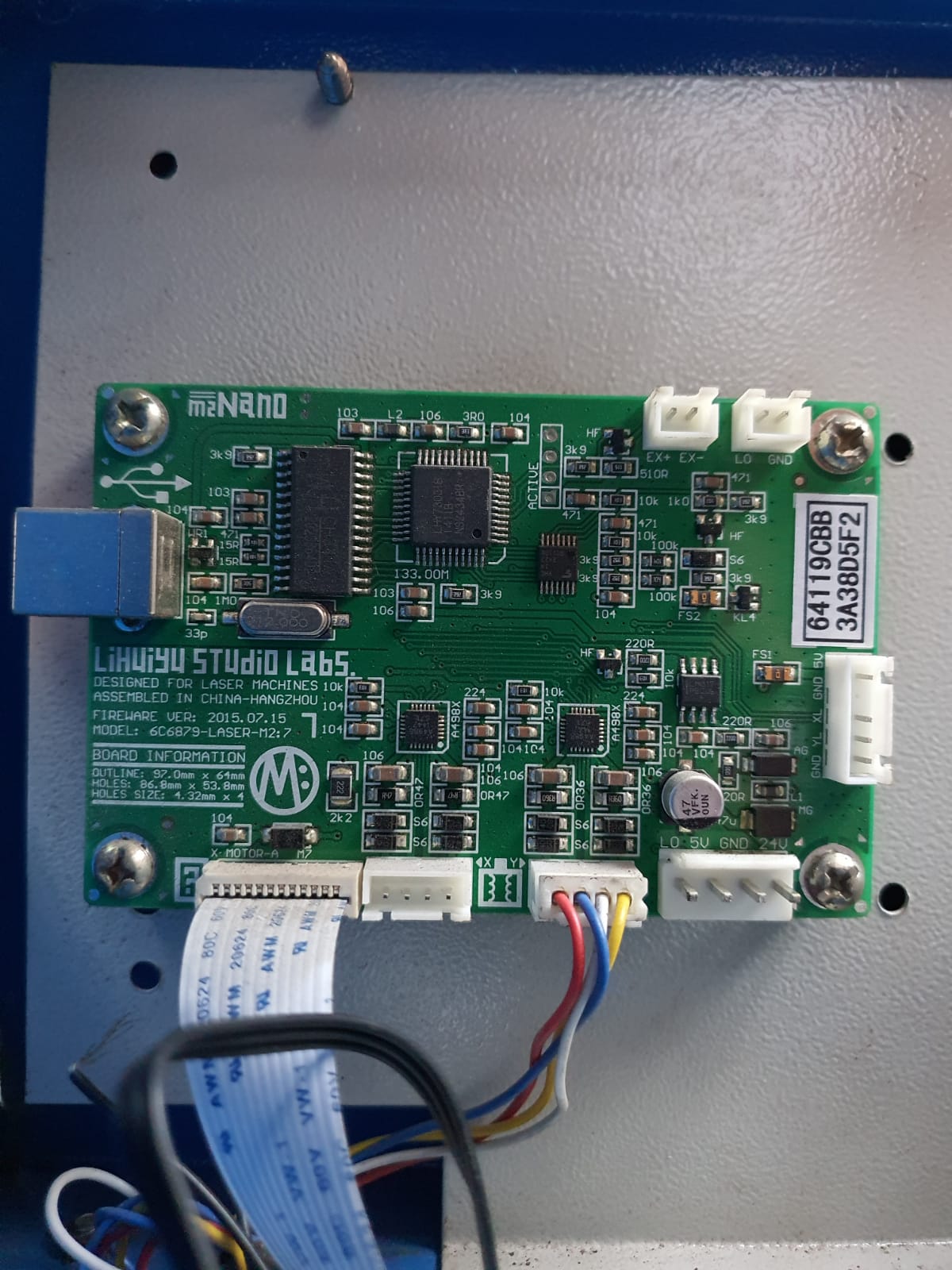
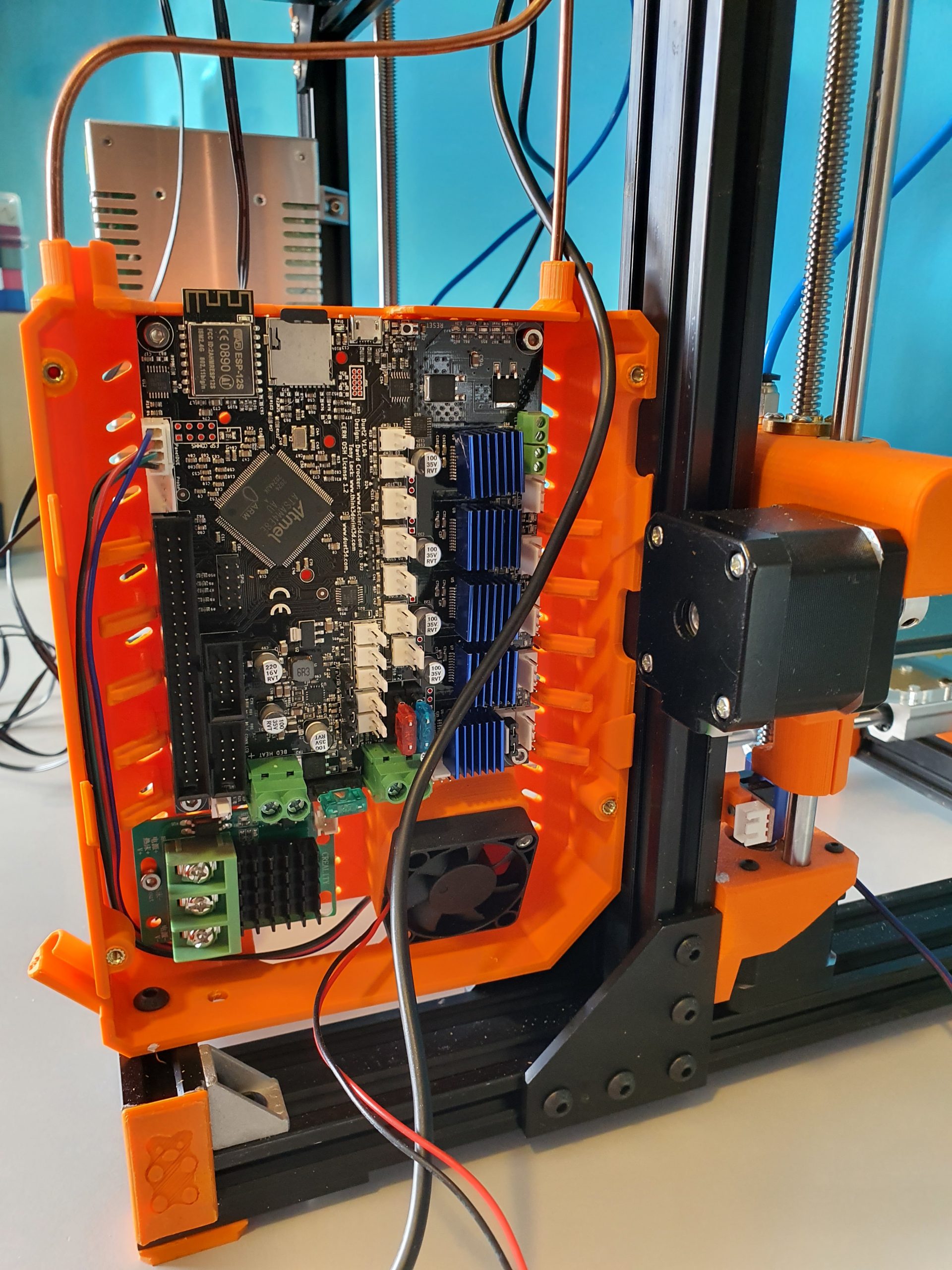
The original driver board of the K40 CO2 lasercutter

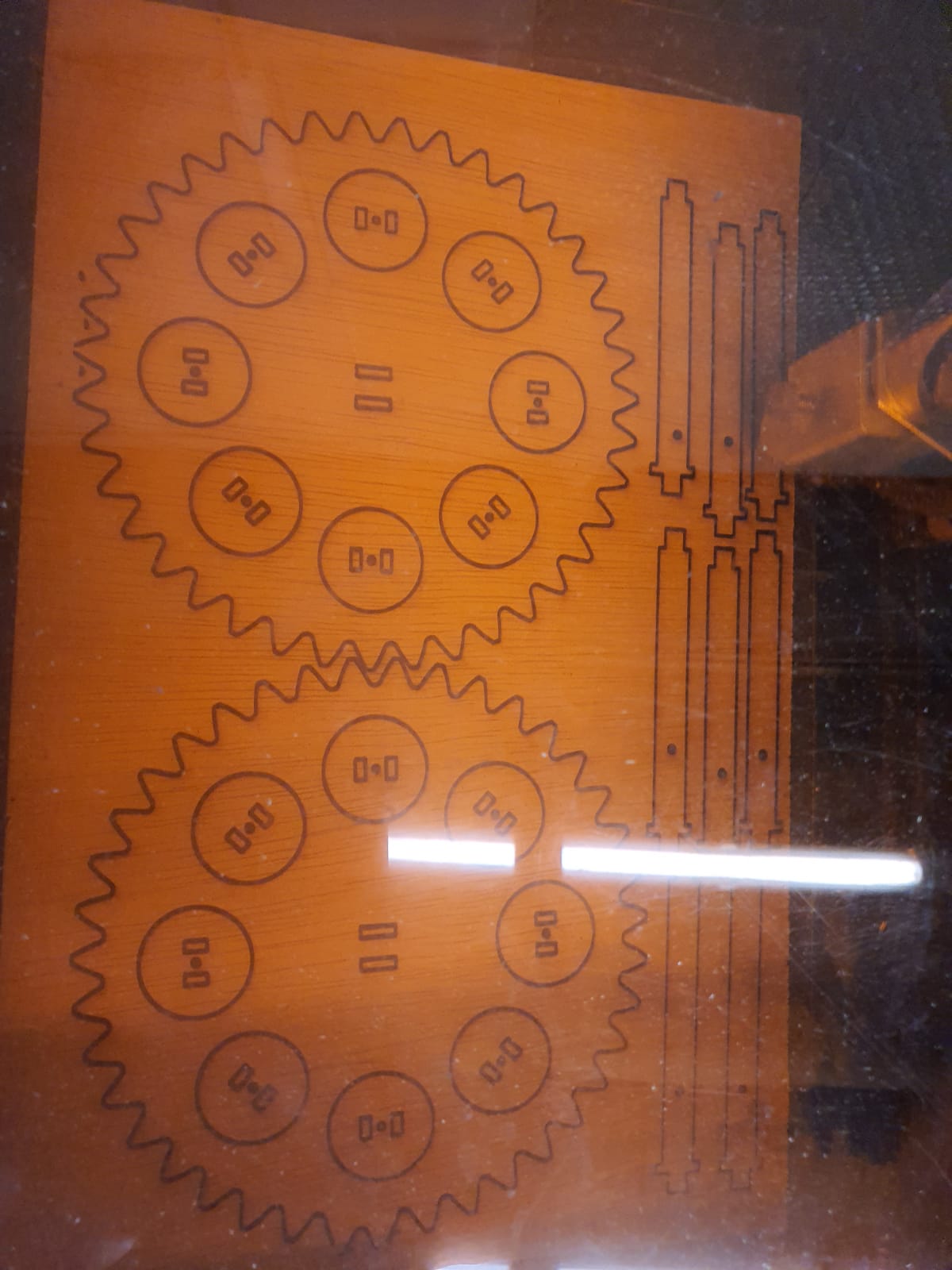
First cut on a piece of tripledeck 4mm multiplex for my clock pieces

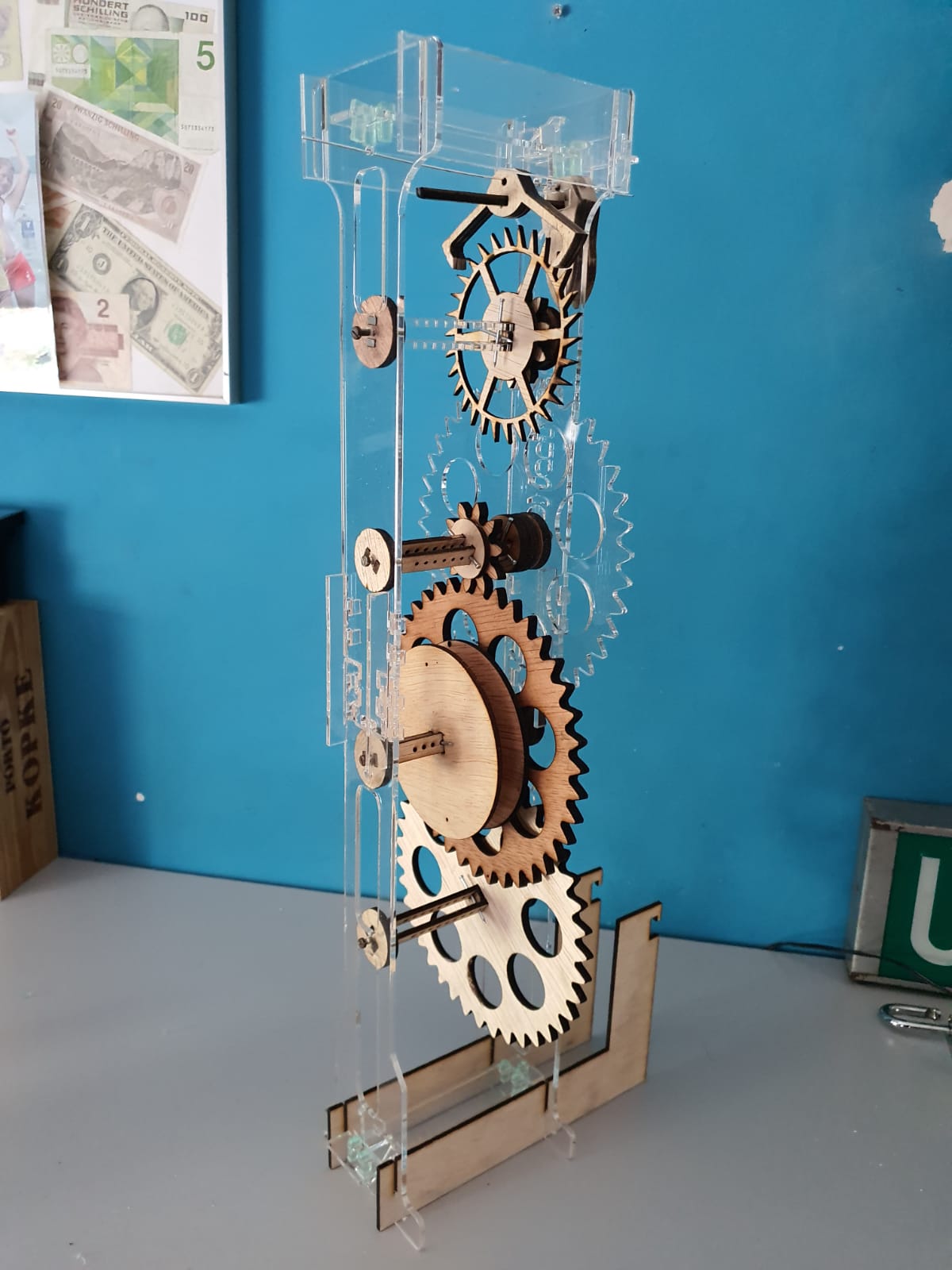
The clock’s interior and stand pieces, wood and acrylic. Both cut on the K40

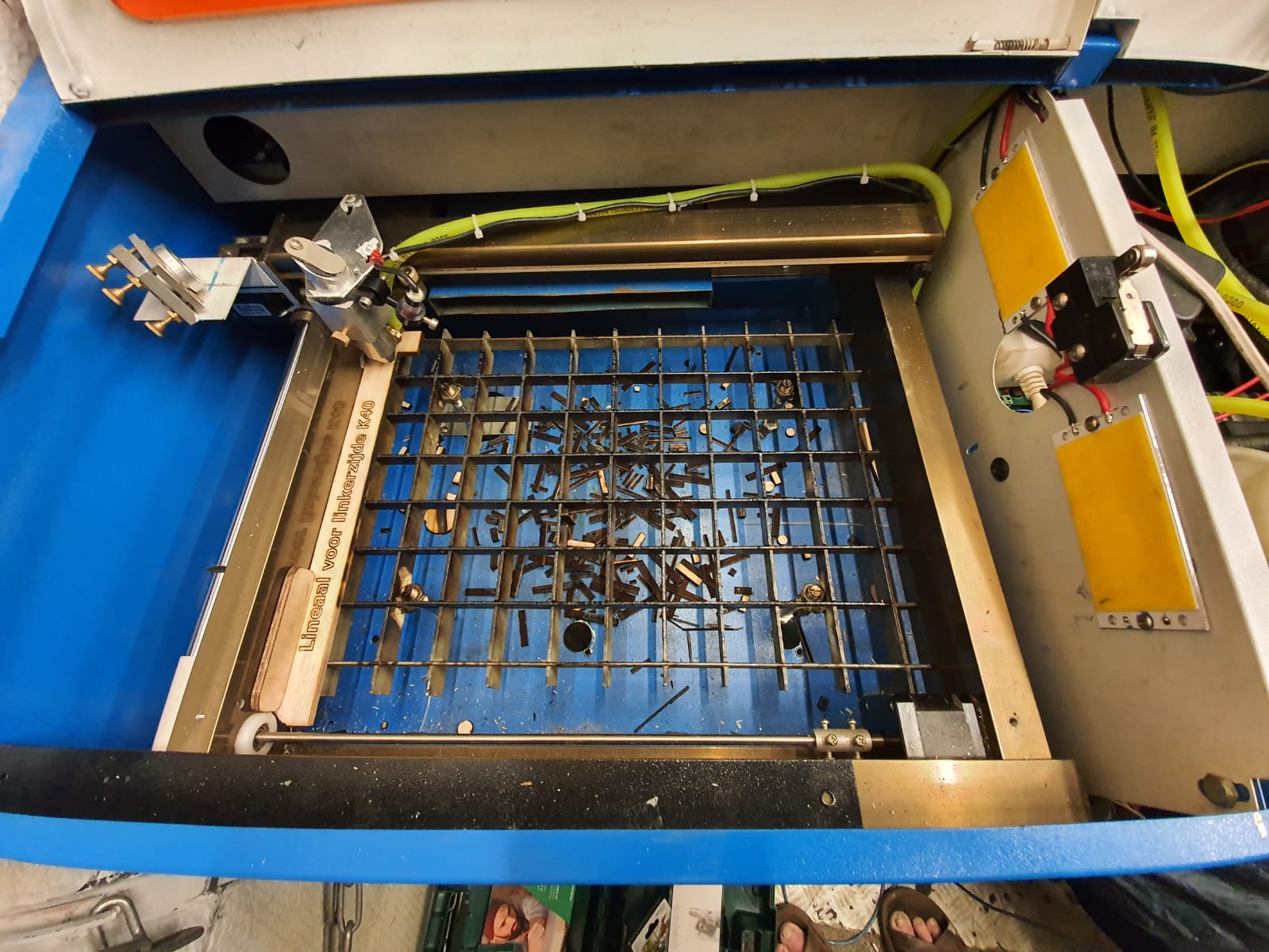
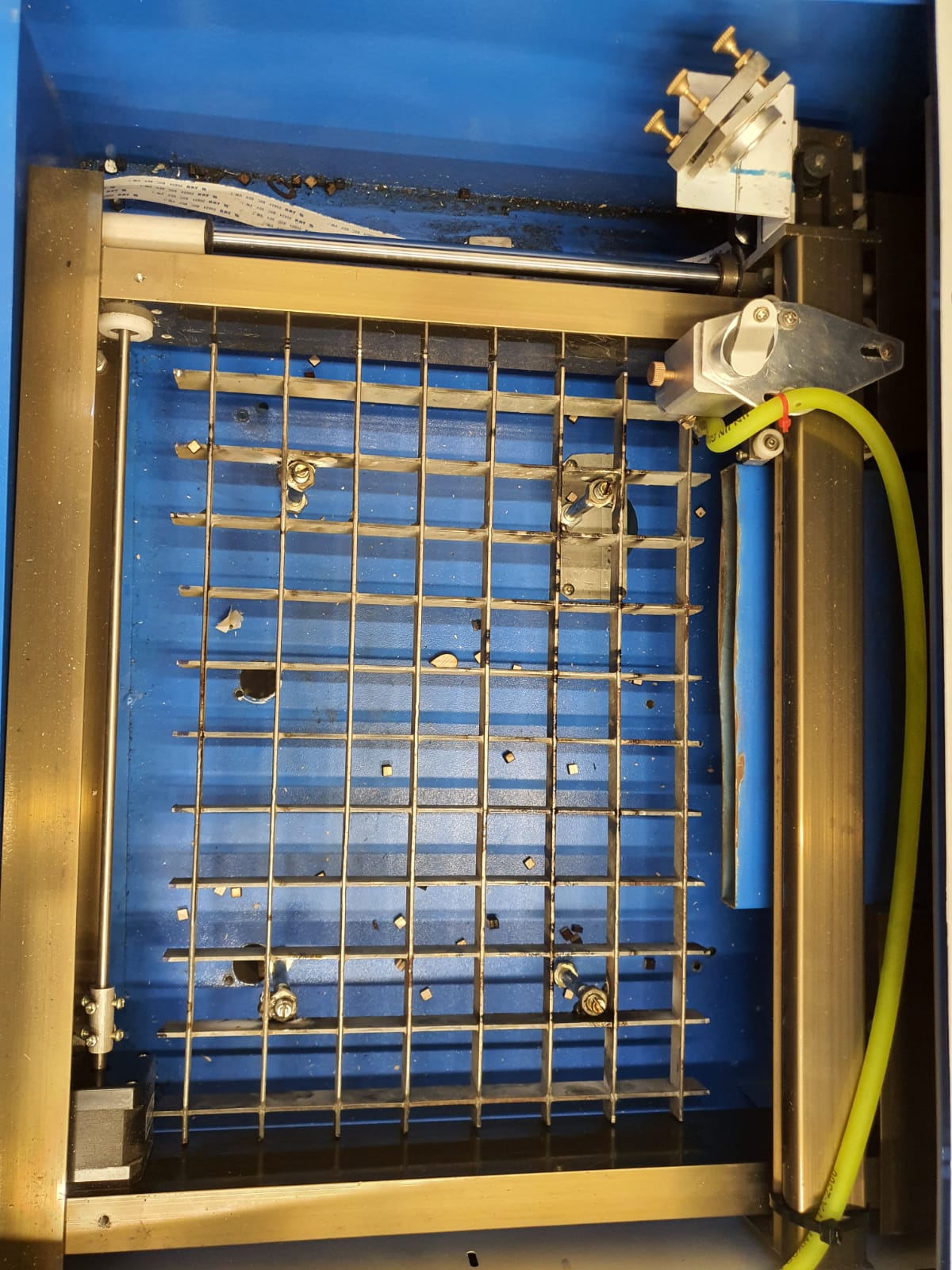
The inside of the K40’s work space with the debree on the bottom. The air hose is green silicon. Also added an emergency cutoff switch for the laser tube. open the hood and the power stops.

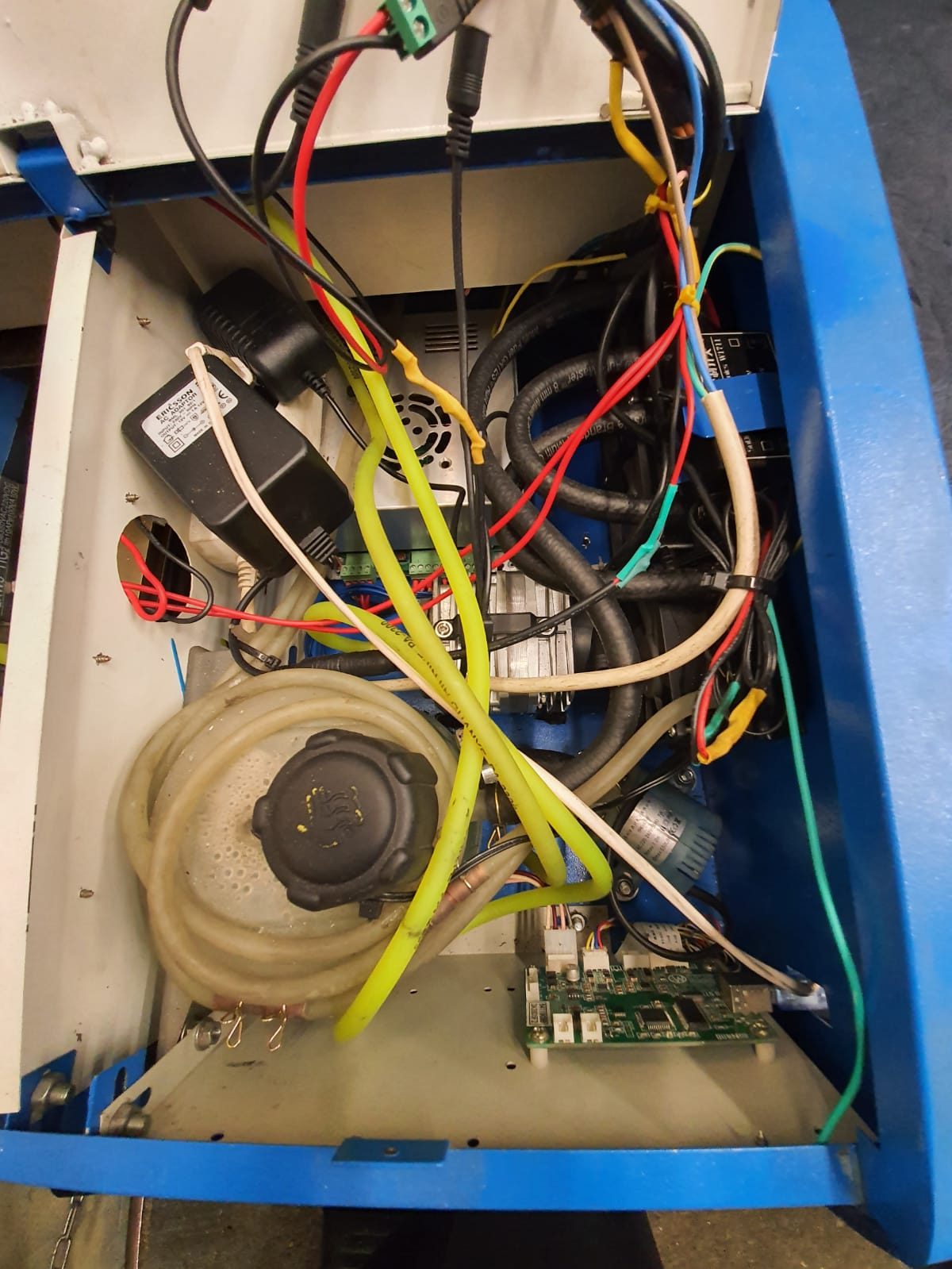
The electronics and water cooling on the Right hand side of the K40’s housing. The air cooled radiators are just out of sight to the most right hand side of the housing, 3 pieces of 40x40mm

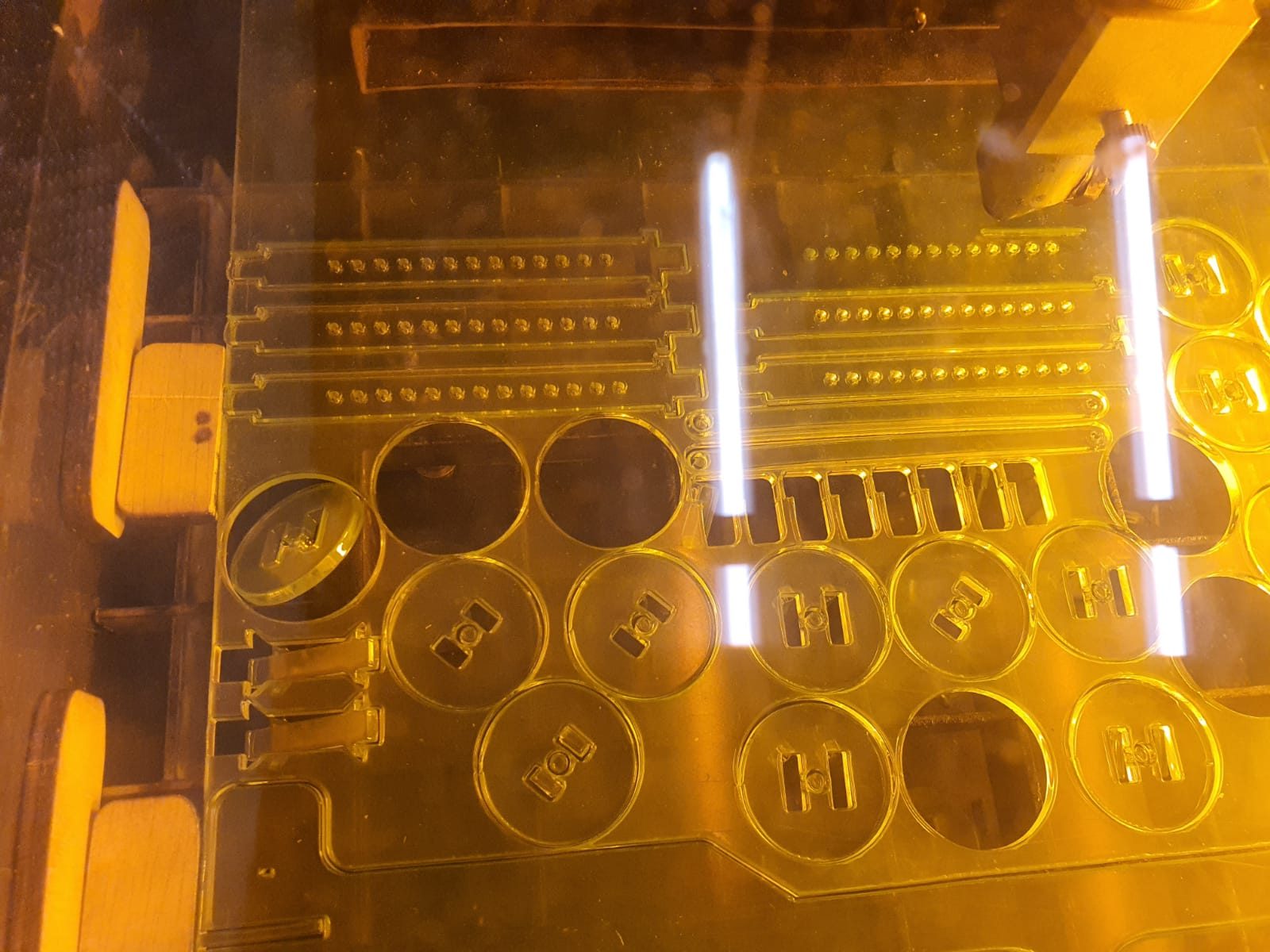
The acrylic cut for the clock, done in 1 time. This is 3 mm thick.

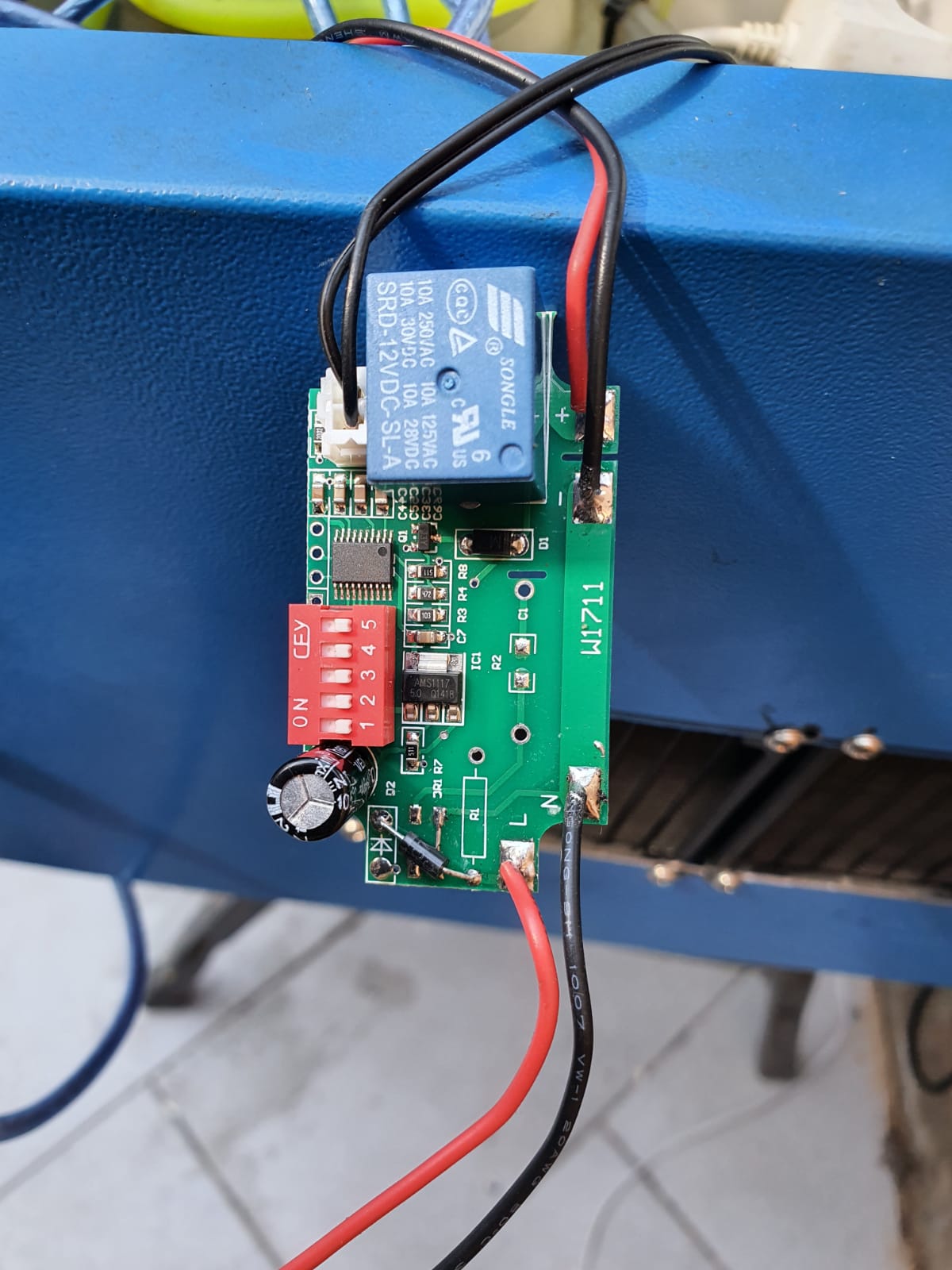
The thermostatic control of the coolant pump, taken out of its case to set the working temperatures

My solution for the cutting bed was to use an old footboard maze and I welded 4 nuts in it with long bolts that act as feet. This makes it possible to adjust the height 1x for optimum focussing the laser in the center of the to be cut material.

Circular clock WS2812 & Arduino nano

LEES DIT ARTIKEL IN HET NEDERLANDS

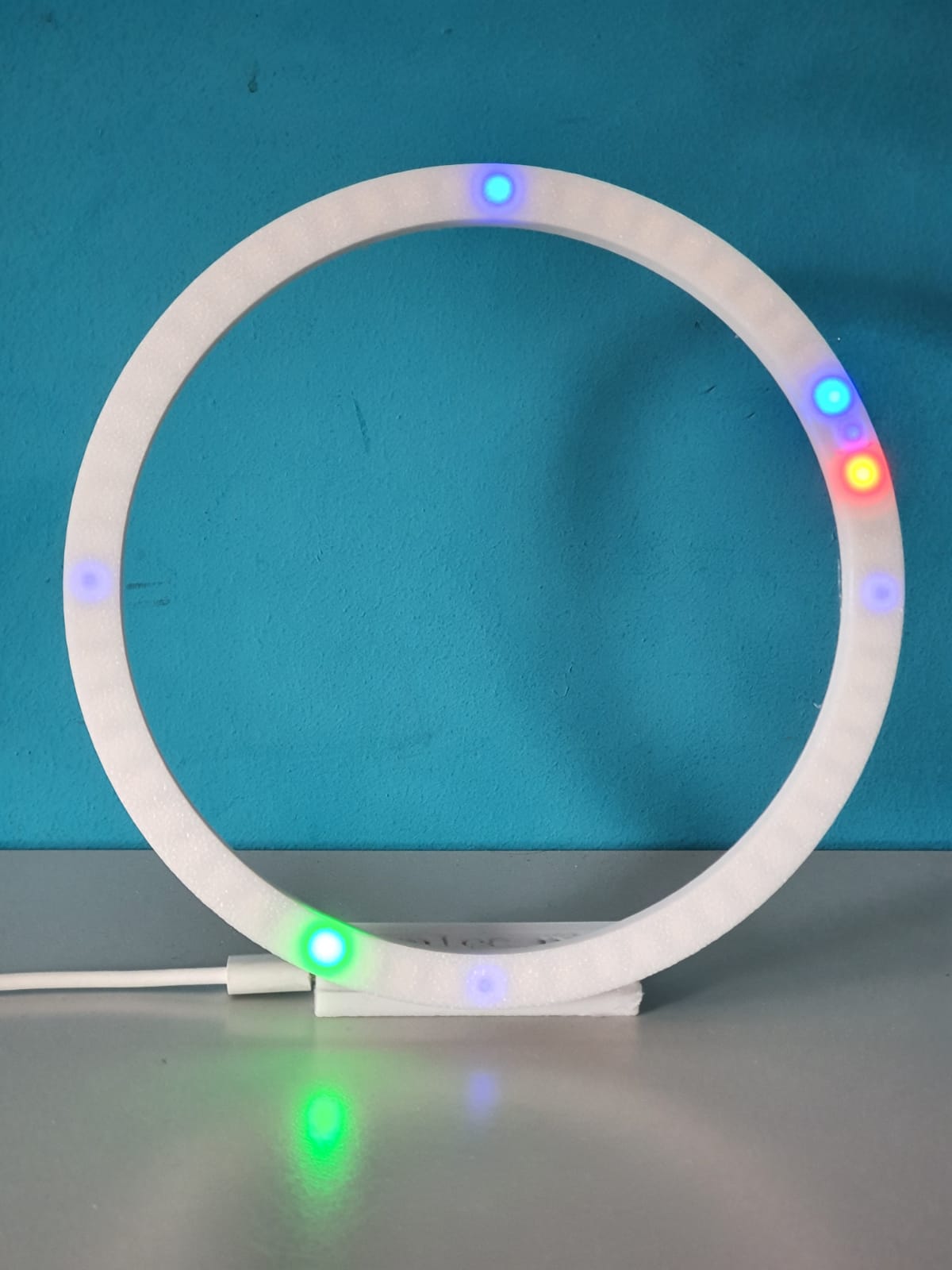
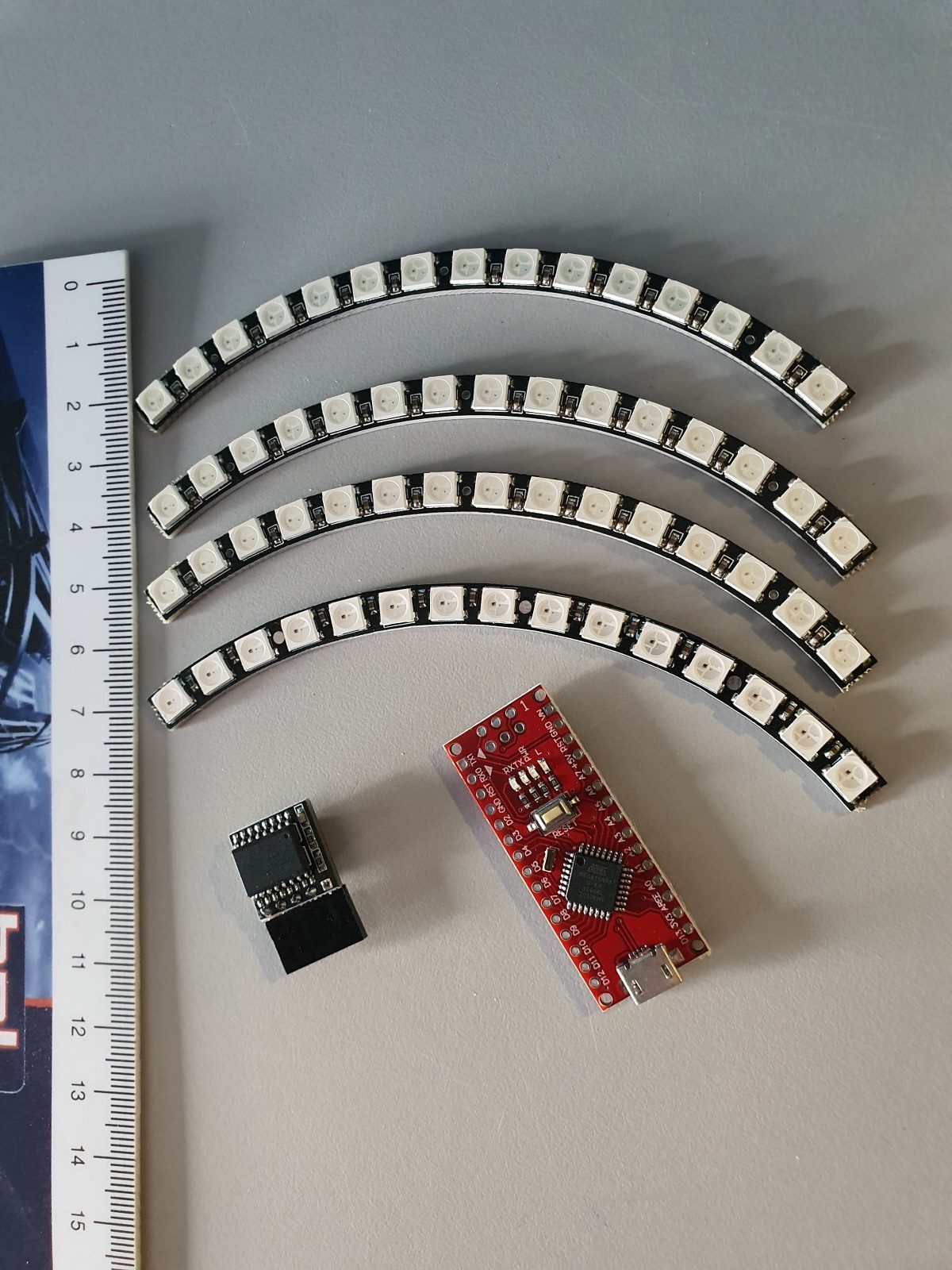
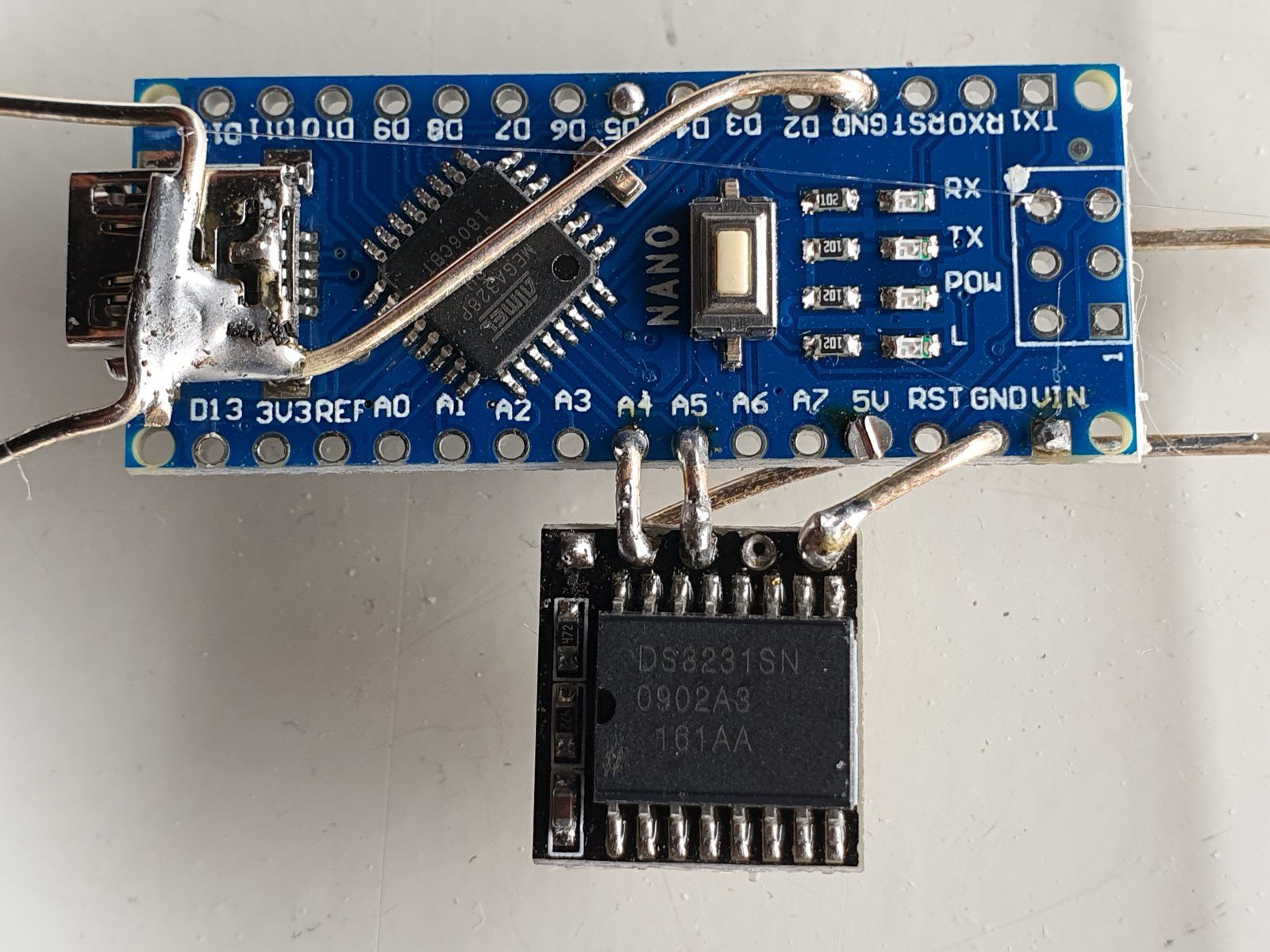
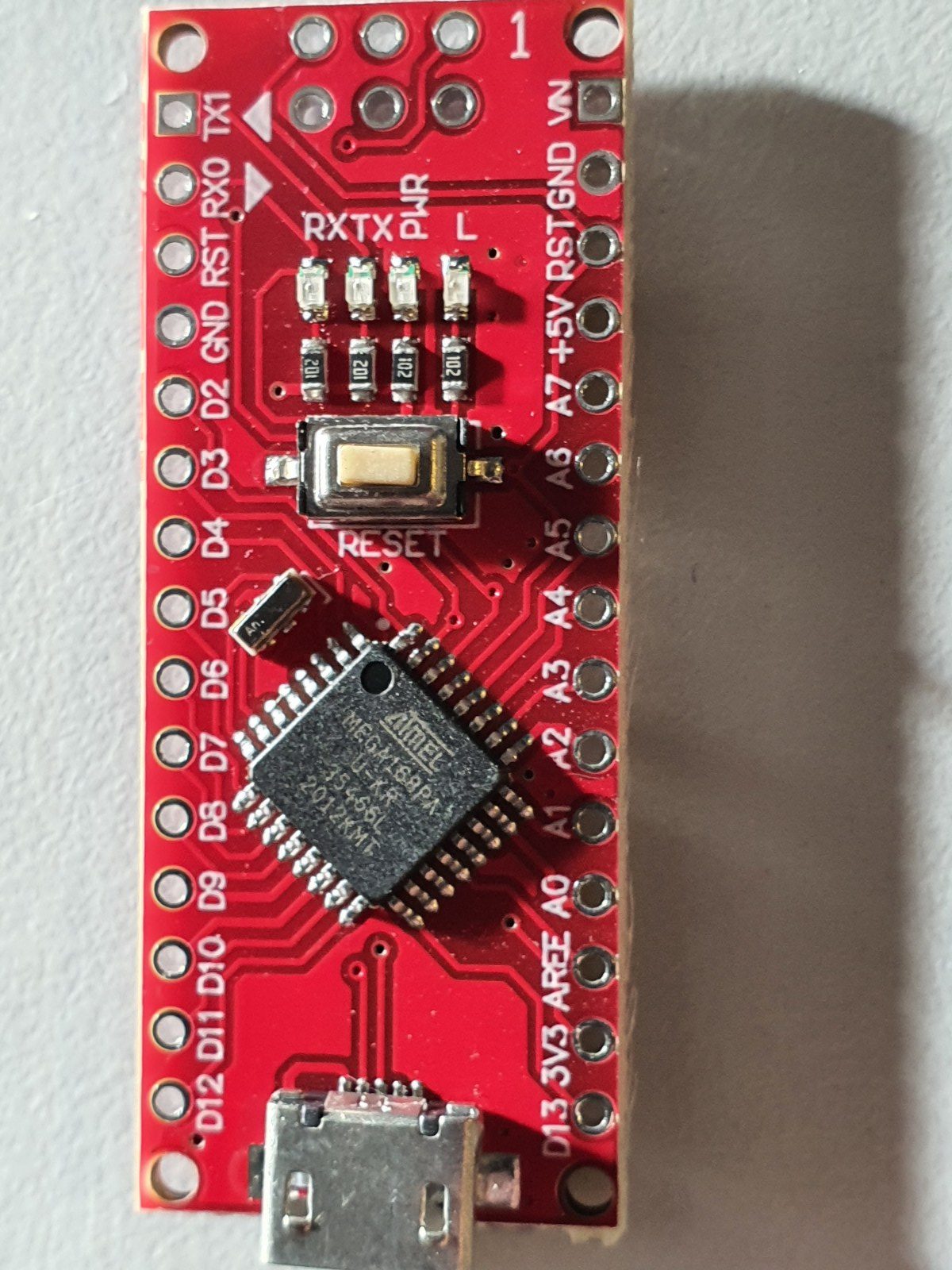
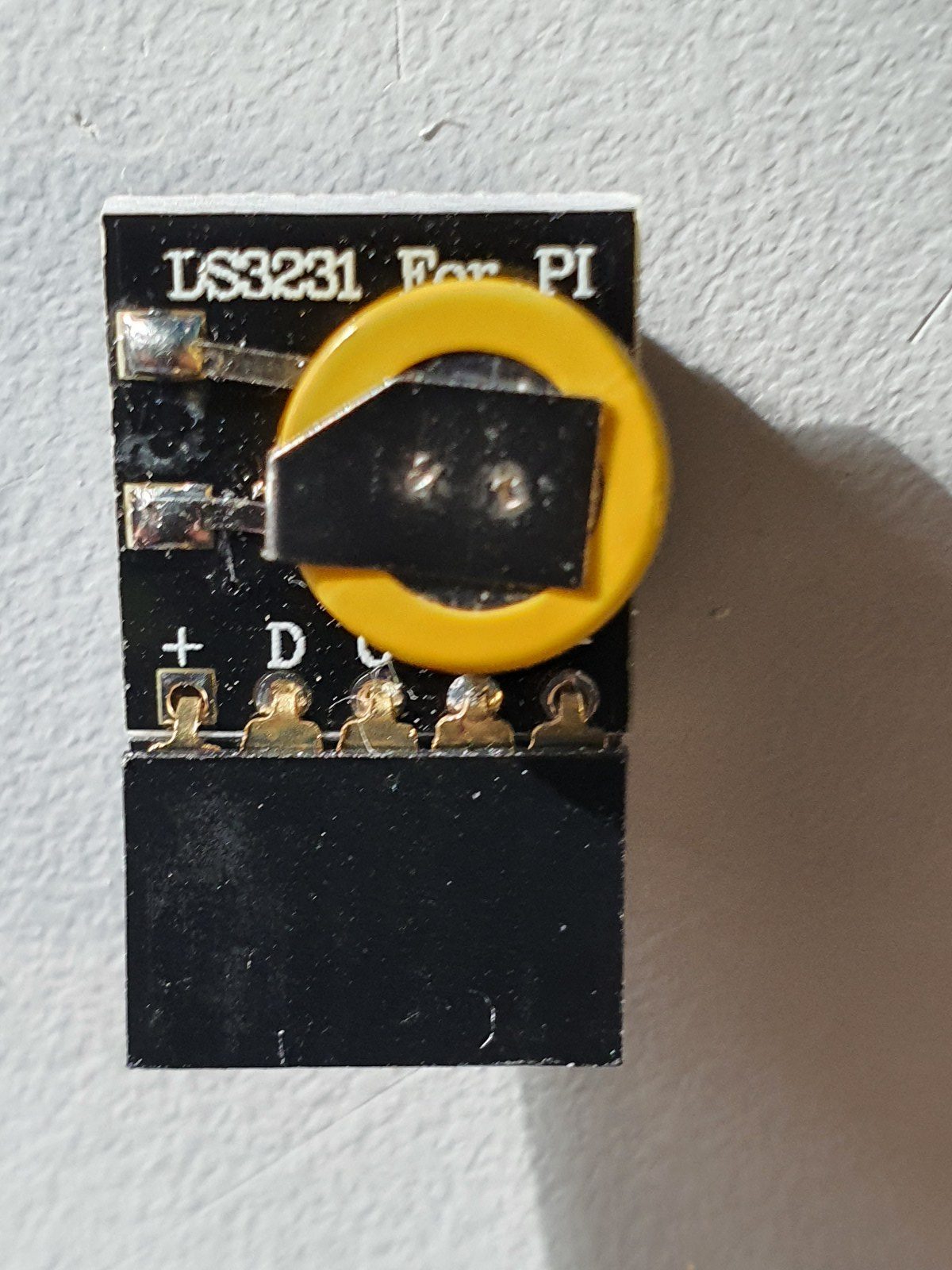
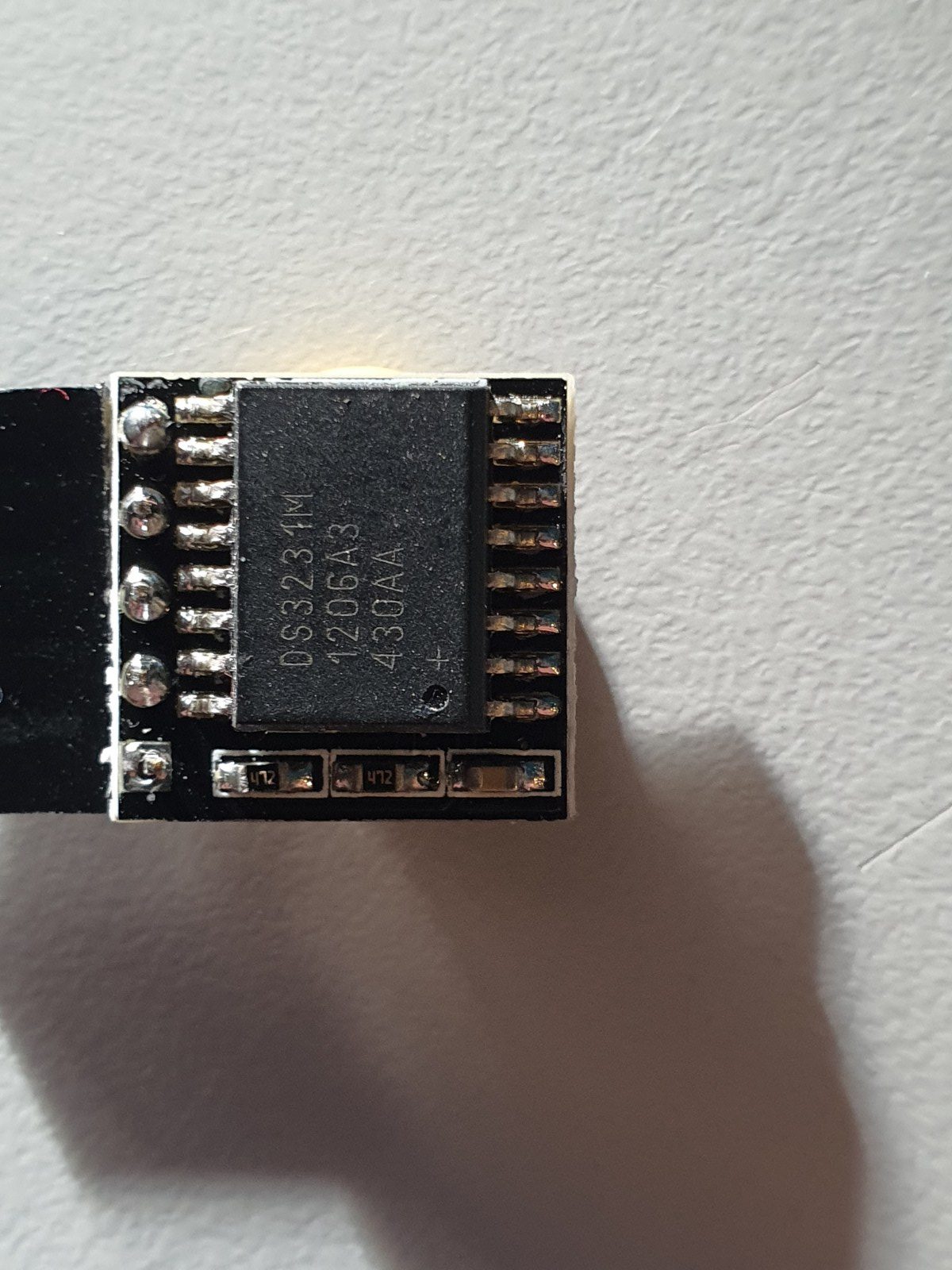
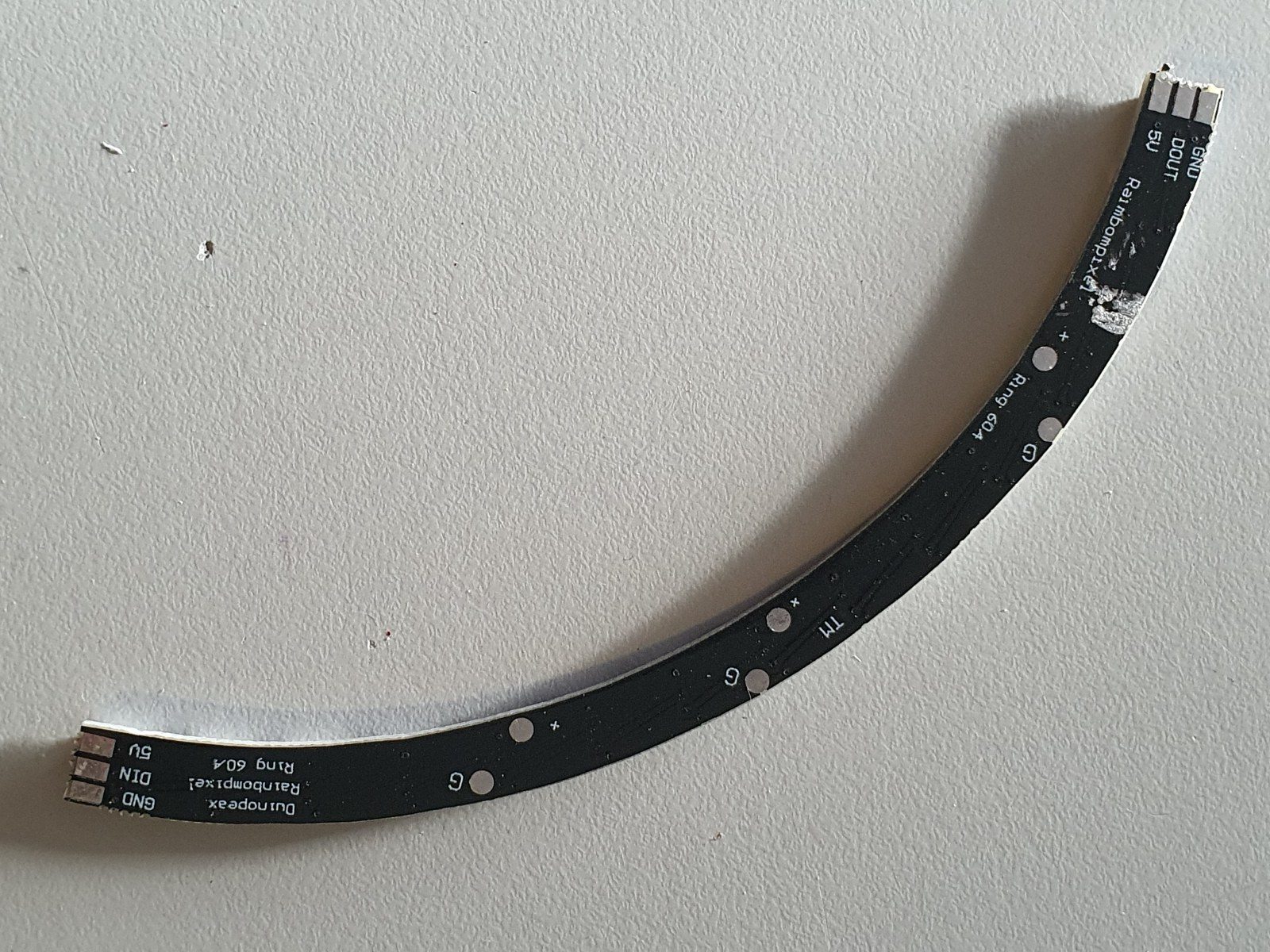
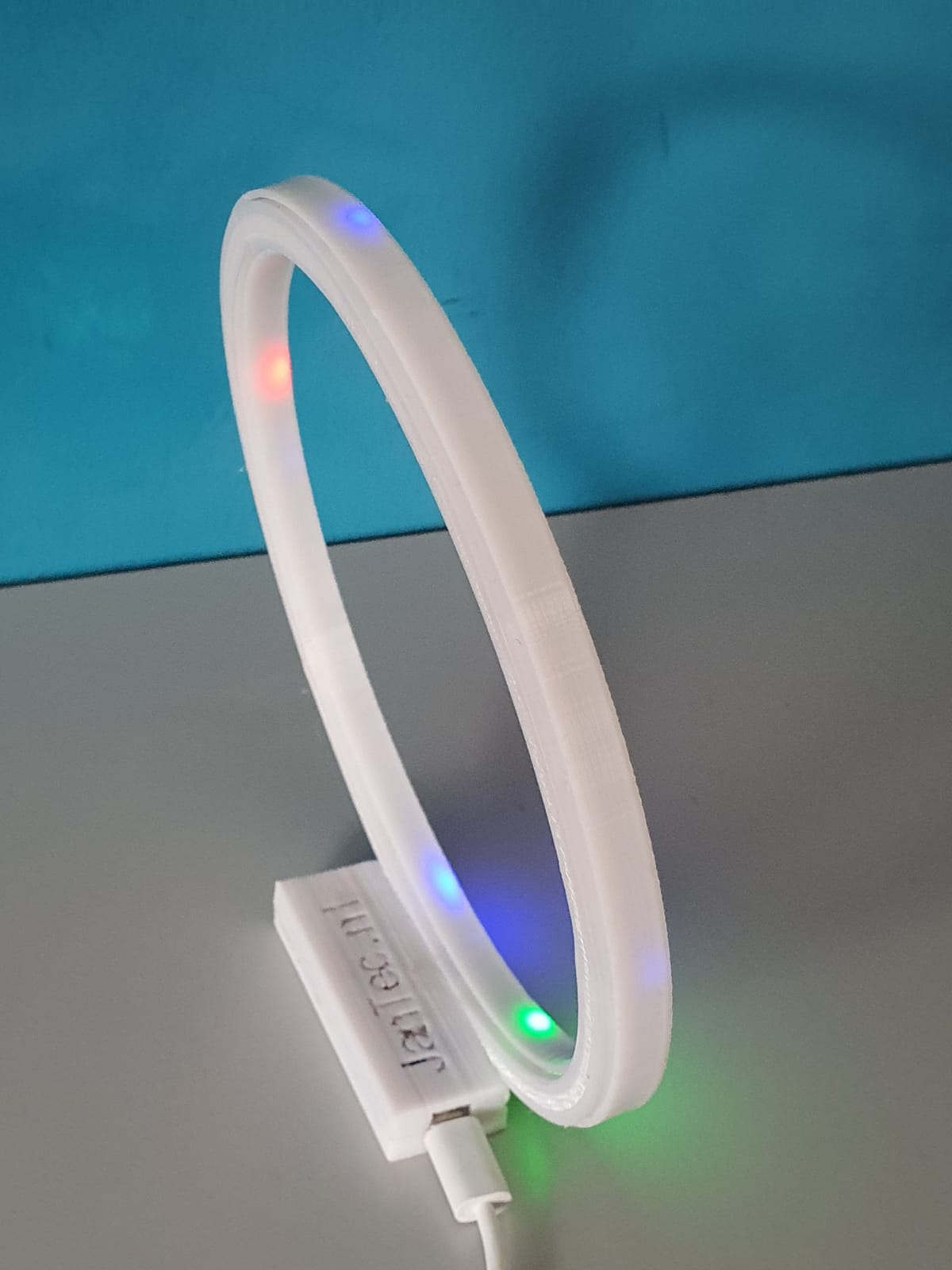
In the above video you see all required parts for the elctronics.  An arduino Nano, a time module LS3231 with battery back-up and a 4-parts ring each with 15 WS2812 LED’s that provide a 160mm 60 LED units clock.  You can build it as an open built unit as shown above with wire strings or in a 3d printable slim case that I developed.  See the pictures below.

For building this nice precise clock, you can use my design files for the housing on any 3d printer that has a horizontal bed size of at least 165x165mm.

Grab both the print STL’s . HERE. from the Prusa shared site where I uploaded these designs. (If the link breaks, search on the prusa site for ws2812 circular arduino clock).

OR get the STL file for the clock’s FRONT from my website HERE

AND get the STL file for the clock’s REAR from my website HERE

One STL is for the rear and includes the Nano box, the other is for the front face of the clock.  Position the rear STL 180 degrees (so up goes down) in your slicer, so both the box and the LED housing are at Z-0 level, i.e. facing down at the same horizontal level.   The front can best be printed with the flat side down.  ABS is not recommended since it has less stiffness, but will probably also work.  For me PETG or PLA works best.

Use white filament for the front part, the rear can be any color you like.

In the circle the 4 WS2812 LED segments are positioned in 1 full circle of about 160mm.

Once you have the rear electronics connected, the front will slide snug over it. No glue required.  But the LED ring can best be glued in 4 places with a drop of hotglue to the base of the rear housing.  Best to do this after you are sure everything works OK.

The LED parts are available on a.o. banggood , aliexpress and so on, search for 60LED circle WS2812 that has the 160 mm outer diameter.

Each LED represents a dot either for seconds, minutes or as hour indicator.

The colors detemine the function.  Blue is also used as Quarter indicator with less intensity, to have a feeling of positioning for the other LEDS when it is dark.

Please look at the video above of the ‘open’ demo model to understand how it works.

Below you can find the Arduino code for the used Nano3, as-is.  it works for me, and in the code you will also find all required electrical connections and the used Time module’s spec.

When connected to your PC, you can program the Arduino and via the serial interface you can afterwards change special settings of the clock like brightness, special quarter dimlit indicators, et cetera.  it’s all in the code below.

The controls can be sent via a serial interface with the usb input of the Arduino, via a terminalprogram like YAT or with the Arduino IDE program’s interface.

The commands are:

  • f; fader OFF
  • F; fader ON
  • m (number); dim the 4 blue marker LED’s with value (number)
  • S; sync to RTC time
  • s; sync to System time (computer)
  • t (time); change system time to:
  • b; brightness of all non-marker LEDs

Please donate $1 to my paypal account if you use (parts of) my developed materials so I can continue to share nice stuff for you to download

Hope you will have a good build!

Cheers,

jan
The Arduino code, to be used for programming the Arduino Nano3 is available at the bottom of this post as plain text to be imported in an empty arduino file (with copy and paste).

Take care to use only the libraries and time module that are specified in the code!  The used time module is of the better generation that holds the time very well, also on standby.

When connecting the wires between the neopixel segments, the arduino and the time module, use a temperature-regulated soldering tool.  Use a fan when you are soldering and don’t inhale the toxic gases while soldering.
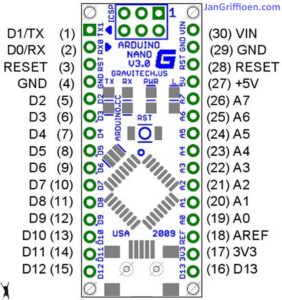
The Arduino code is shown below, to be imported in Arduino in an .ino file.  With Arduino, you must compile the code to get the Arduino flashed with the program.  If you want to do this easier, you can make use of the binary file I already compiled for both Arduino nano versions (with full memory and with half memory). Both Arduino nano types will be OK to use for this build, but they each require specific firmware.

The last part of this post is the Arduino program for the clock:


/**
* NeoClock
*
* Clock using 60 WS2812B/Neopixel LEDs and DS3231 RTC
* Small changes and updates made by jan Griffioen, Amsterdam Europe 2018-2021
* Libraries needed:
* * Adafruit NeoPixel (Library Manager) – Phil Burgess / Paint Your Dragon for Adafruit Industries – LGPL3
* *
* * Arduino Timezone Library (https://github.com/JChristensen/Timezone) – Jack Christensen – CC-BY-SA
* * Time Library (https://github.com/PaulStoffregen/Time) – Paul Stoffregen, Michael Margolis – LGPL2.1
*/

#include <Adafruit_NeoPixel.h>
#ifdef __AVR__
#include <avr/power.h>
#endif

#if defined(ESP8266)
#include <pgmspace.h>
#else
#include <avr/pgmspace.h>
#endif

/* for software wire use below
#include <SoftwareWire.h> // must be included here so that Arduino library object file references work
#include <RtcDS3231.h>

SoftwareWire myWire(SDA, SCL);
RtcDS3231<SoftwareWire> Rtc(myWire);
for software wire use above */

/* for normal hardware wire use below */
#include <Wire.h> // must be included here so that Arduino library object file references work
#include <RtcDS3231.h>
RtcDS3231<TwoWire> Rtc(Wire);
/* for normal hardware wire use above */

#include <TimeLib.h> //http://www.arduino.cc/playground/Code/Time
#include <Timezone.h> //https://github.com/JChristensen/Timezone

#include <EEPROM.h>

//Central European Time (Frankfurt, Paris)
TimeChangeRule CEST = {“CEST”, Last, Sun, Mar, 2, 120}; //Central European Summer Time
TimeChangeRule CET = {“CET “, Last, Sun, Oct, 3, 60}; //Central European Standard Time
Timezone CE(CEST, CET);

TimeChangeRule *tcr; //pointer to the time change rule, use to get the TZ abbrev
time_t utc;

#define PIN 5

unsigned long lastMillis = millis();
byte dimmer = 0x88;
byte hmark = 0;

byte ohour=0;
byte ominute=0;
byte osecond=0;

boolean fader=true;

Adafruit_NeoPixel strip = Adafruit_NeoPixel(60, PIN, NEO_GRB + NEO_KHZ800);

void setup() {

Serial.begin(57600);

strip.begin();
strip.setBrightness(50);

// Some example procedures showing how to display to the pixels:
// colorWipe(strip.Color(255, 0, 0), 50); // Red
//colorWipe(strip.Color(0, 255, 0), 50); // Green
//colorWipe(strip.Color(0, 0, 255), 50); // Blue
//colorWipe(strip.Color(0, 0, 0, 255), 50); // White RGBW
// Send a theater pixel chase in…
//theaterChase(strip.Color(127, 127, 127), 50); // White
theaterChase(strip.Color(127, 0, 0), 50); // Red
//theaterChase(strip.Color(0, 0, 127), 50); // Blue

//rainbow(20);
rainbowCycle(2);
//theaterChaseRainbow(50);

strip.clear();
strip.show(); // Initialize all pixels to ‘off’

Rtc.Begin();

Rtc.Enable32kHzPin(false);
Rtc.SetSquareWavePin(DS3231SquareWavePin_ModeNone);

if (!Rtc.GetIsRunning())
{
Serial.println(“Rtc was not actively running, starting now”);
Rtc.SetIsRunning(true);
}

if (!Rtc.IsDateTimeValid())
{
// Common Cuases:
// 1) the battery on the device is low or even missing and the power line was disconnected
Serial.println(“Rtc lost confidence in the DateTime!”);
}

byte eechk = EEPROM.read(0);
if(eechk == 0xAA) { //Assume this is our config and not a fresh chip
dimmer = EEPROM.read(1);
hmark = EEPROM.read(2);
fader = EEPROM.read(3);
}

timeSync();
}

void calcTime(void) {
utc = now();
CE.toLocal(utc, &tcr);
ohour = hour(utc);
ominute = minute(utc);
if(osecond != second(utc)) {
osecond = second(utc);
lastMillis = millis();

if(ominute == 0 && osecond == 0) {
//Every hour
timeSync();
}
}
}

void addPixelColor(byte pixel, byte color, byte brightness) {
color *= 8;
uint32_t acolor = brightness;
acolor <<= color;
uint32_t ocolor = strip.getPixelColor(pixel);
ocolor |= acolor;
strip.setPixelColor(pixel, ocolor);
}

void drawClock(byte h, byte m, byte s) {
strip.clear();

addPixelColor(m, 1, dimmer);

if(hmark > 0) {
for(byte i = 0; i<12; i++) {
addPixelColor((5*i), 2, hmark);
}
}

h %= 12;
h *= 5;
h += (m/12);
addPixelColor(h, 2, dimmer);
// 0x RR GG BB

if(fader) {
byte dim_s1 = dimmer;
byte dim_s2 = 0;
byte px_s2 = s+1;
if(px_s2 >= 60) px_s2 = 0;
unsigned long curMillis = millis()-lastMillis;
if(curMillis < 250) {
dim_s2 = 0;
dim_s1 = dimmer;
}else{
dim_s2 = map(curMillis, 250, 1000, 0, dimmer);
dim_s1 = dimmer – map(curMillis, 250, 1000, 0, dimmer);
}

// Add blue low intensity dots for 12(0),3, 6 and 9 O’çlock to verify where the clock is positioned..
addPixelColor(15, 128, 10);
addPixelColor(30, 128, 10);
addPixelColor(45, 128, 10);
addPixelColor(0, 128, 40);

addPixelColor(s, 0, dim_s1);
addPixelColor(px_s2, 0, dim_s2);
}else{
addPixelColor(s, 0, dimmer);
}

// add a background color
// setBrightness(Serial.parseInt());
// uint16_t j;
// for(j=0; j<60; j++) { // 1 cycles of colors on wheel
// strip.setPixelColor(j, Wheel(((j * 256 / strip.numPixels()) + j) & 255));
// }

strip.show();
}

byte rounds = 0;

void loop() {
calcTime();

if(rounds++ > 100) {
Serial.print(ohour);
Serial.print(“:”);
Serial.print(ominute);
Serial.print(“:”);
Serial.print(osecond);
Serial.println(“(C)JG-2020”);
rounds = 0;

}
//rainbow(21);
if (osecond == 59){theaterChase(strip.Color(0, 0, 127), 40); }// Blue; }
//if (ominute == 59 AND osecond == 59){theaterChase(strip.Color(0, 127, 0), 50); }// Green}
//if (ohour == 11 AND ominute == 59 AND osecond == 59){theaterChase(strip.Color(127, 127, 0), 50); }// Green}
else {drawClock(ohour,ominute,osecond);}

delay(10);

chkSer();
}

void timeSync(void) {
RtcDateTime dt = Rtc.GetDateTime();
setTime(dt.Hour(),dt.Minute(),dt.Second(),dt.Day(),dt.Month(),dt.Year());

Serial.print(“Synced to: “);
Serial.print(dt.Year());
Serial.print(“-“);
Serial.print(dt.Month());
Serial.print(“-“);
Serial.print(dt.Day());
Serial.print(“-“);
Serial.print(dt.Hour());
Serial.print(“-“);
Serial.print(dt.Minute());
Serial.print(“-“);
Serial.println(dt.Second());
}

void timeSave(void) {
utc = now();

RtcDateTime store = RtcDateTime(year(utc), month(utc), day(utc), hour(utc), minute(utc), second(utc));
Rtc.SetDateTime(store);

Serial.print(“Synced to: “);
Serial.print(year(utc));
Serial.print(“-“);
Serial.print(month(utc));
Serial.print(“-“);
Serial.print(day(utc));
Serial.print(“-“);
Serial.print(hour(utc));
Serial.print(“-“);
Serial.print(minute(utc));
Serial.print(“-“);
Serial.println(second(utc));

}

void setBrightness(byte brightness) {
dimmer = brightness;
}

void chkSer(void) {
unsigned int iy;
byte im,id,iH,iM,iS;

if(!Serial.available()) return;

switch(Serial.read()) {
case ‘b’:
setBrightness(Serial.parseInt());
Serial.print(F(“Brightness changed to: “));
Serial.println(dimmer);
EEPROM.put(0, 0xAA);
EEPROM.put(1, dimmer);
break;
case ‘t’:
iy = Serial.parseInt();
im = Serial.parseInt();
id = Serial.parseInt();
iH = Serial.parseInt();
iM = Serial.parseInt();
iS = Serial.parseInt();
setTime(iH,iM,iS,id,im,iy);
Serial.println(F(“System time changed”));
break;
case ‘f’:
fader = false;
EEPROM.put(0, 0xAA);
EEPROM.put(3, 0);
Serial.println(F(“Fader off”));
break;
case ‘F’:
fader = true;
EEPROM.put(0, 0xAA);
EEPROM.put(3, 1);
Serial.println(F(“Fader on”));
break;
case ‘m’:
hmark = Serial.parseInt();
EEPROM.put(0, 0xAA);
EEPROM.put(2, hmark);
Serial.println(F(“HMark changed”));
break;
case ‘s’:
timeSync();
Serial.println(F(“Synced RTC to System”));
break;
case ‘S’:
timeSave();
Serial.println(F(“Synced System to RTC”));
break;
default:
Serial.println(‘?’);
}
}

// Fill the dots one after the other with a color
void colorWipe(uint32_t c, uint8_t wait) {
for(uint16_t i=0; i<strip.numPixels(); i++) {
strip.setPixelColor(i, c);
strip.show();
delay(wait);
}
}

void rainbow(uint8_t wait) {
uint16_t i, j;

for(j=0; j<256; j++) {
for(i=0; i<strip.numPixels(); i++) {
strip.setPixelColor(i, Wheel((i+j) & 25));//255
}
strip.show();
delay(wait);
}
}

// Slightly different, this makes the rainbow equally distributed throughout
void rainbowCycle(uint8_t wait) {
uint16_t i, j;

for(j=0; j<256*5; j++) { // 5 cycles of all colors on wheel
for(i=0; i< strip.numPixels(); i++) {
strip.setPixelColor(i, Wheel(((i * 256 / strip.numPixels()) + j) & 255));
}
strip.show();
delay(wait);
}
}

//Theatre-style crawling lights.
void theaterChase(uint32_t c, uint8_t wait) {
for (int j=0; j<4; j++) { //do 4 cycles of chasing
for (int q=0; q < 3; q++) {
for (uint16_t i=0; i < strip.numPixels(); i=i+3) {
strip.setPixelColor(i+q, c); //turn every third pixel on
}
strip.show();

delay(wait);

for (uint16_t i=0; i < strip.numPixels(); i=i+3) {
strip.setPixelColor(i+q, 0); //turn every third pixel off
}
}
}
}

//Theatre-style crawling lights with rainbow effect
void theaterChaseRainbow(uint8_t wait) {
for (int j=0; j < 256; j++) { // cycle all 256 colors in the wheel
for (int q=0; q < 3; q++) {
for (uint16_t i=0; i < strip.numPixels(); i=i+3) {
strip.setPixelColor(i+q, Wheel( (i+j) % 255)); //turn every third pixel on
}
strip.show();

delay(wait);

for (uint16_t i=0; i < strip.numPixels(); i=i+3) {
strip.setPixelColor(i+q, 0); //turn every third pixel off
}
}
}
}

// Input a value 0 to 255 to get a color value.
// The colours are a transition r – g – b – back to r.
uint32_t Wheel(byte WheelPos) {
WheelPos = 255 – WheelPos;
if(WheelPos < 85) {
return strip.Color(255 – WheelPos * 3, 0, WheelPos * 3);
}
if(WheelPos < 170) {
WheelPos -= 85;
return strip.Color(0, WheelPos * 3, 255 – WheelPos * 3);
}
WheelPos -= 170;
return strip.Color(WheelPos * 3, 255 – WheelPos * 3, 0);
}


Kingroon KP3

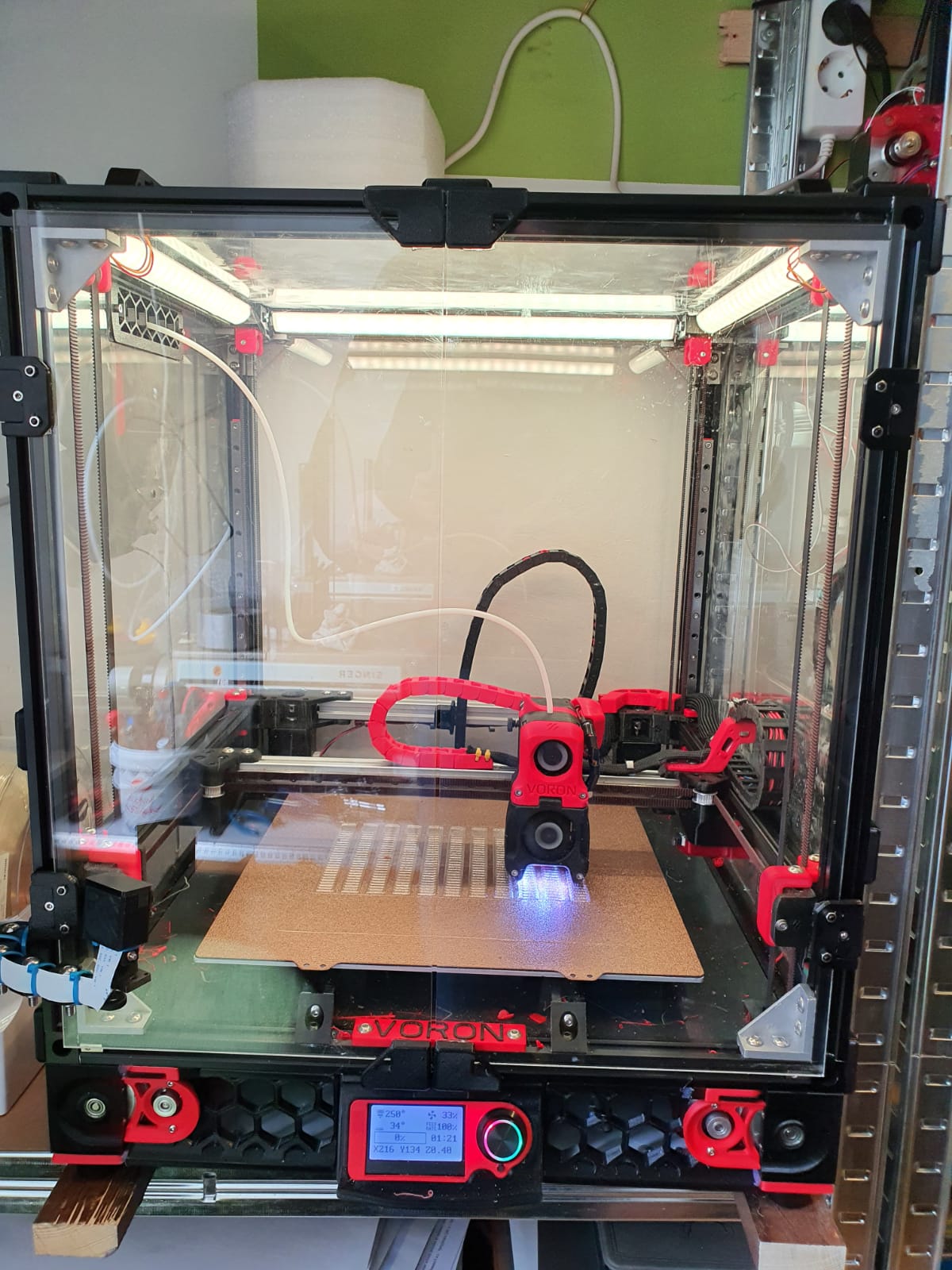
This is my spare machine, wrapped in – to use when any other machine should have an unsolvable problem (at least- short term).  This 1st version Kingroon KP3 mini always works flawlessly on PLA and PETG. I did add some after market stuff like better cooling, new firmware et cetera.  If I use this machine, I always manage it remotely with an Octopi on RPI.

Replaced the waterpump of my Citroën ID20 cabrio (1970)

July 2019: I noticed a small amount of coolant under the car from time to time, after parking.

So looking for the cause, and as a precaution, I immediately replaced the water pump housing, thermostat, lower hoses and water pump.

Also replaced all gaskets, cleaned the surfaces, checked all hoses optically and so on.

After fitting, first tested the cooling system with a pressure kit and left it pressurized overnight.  No leakage.  The action seems to have been successful.

Update 3-2021: After this action, it appears that there is still a little coolant under the car when I have driven a bit after which the car has been parked overnight.  While driving, the car does not seem to lose anything.

It seems that as the car cools down, it builds up so much pressure in the cooling system that there is leakage that does not occur while driving. Possibly the expansion and contraction of the engine parts has something to do with this and the contraction after driving could possible cause the extra pressure. Apparently the radiator cap is not the solution to this problem. This cap should open at a certain pressure and allow some of the compressed air at the top of the radiator to escape.  That this principle does work is clear because the catcher at the bottom of the overpressure hose which is mounted at the radiator cap does catch coolant when I have incidentally overfilled the radiator slightly.

In the meantime, I have ordered an overpressure vessel to mount in the cooling circuit to better compensate for the pressure, and a mechanical pressure regulator and valve to adjust this cooling system to a pleasant maximum pressure.  I hope this will stop the cooling system from leaking.

[Best_Wordpress_Gallery id=”57″ gal_title=”Waterpump and -housing renewed ID/DS”]

3d applications – self-folding materials

3D printing became a hot item around 2016,  and quite a few 3d printing machines have been sold over the years.  But, at some point it seems that the use for products from these machines has faded away.

Due to the availability of 3D printers and the fact that these printers are getting better and are producing prints with better quality as they evolve over time, more applications have been developed.

In this article I will sum up a couple of these new areas in which 3D printing became a driver for new developments, which are sometimes just scratching the surface of possible future developments.

  1. Dental products.  For over 40 years , dentists are using Services from laboratories to produce Ceramic protheses for teeth.  The base for this is a mould, taken from the patient.  I recall that this was indeed not a very pleasant process for the patient.  This process was time consuming and it required also some adjusting and fine-tuning at delivering the protheses at the right place.   Currently all dentists are either producing the protheses themselves or use online deliveries that are mostly available with a production- and delivery time of less than 4 hours.  the process starts with a 3d-scan from the patient’s mouth, compared with (if available) older pictures and/or X-rays.  All is fed into a normal PC, and the software makes the 3d print data.  After that, printing the protheses is quite simple with the new ceramic printable filaments. Placing the protheses with UV-herdening glue means that someday we will be able to do this at home. Although the prepping of the place to put the protheses will still be done by a dentist, I presume.
  2. Technical parts.  For many tehnological industries the availability of 3D printers has made it possible to have faster development processes of new parts and applications,  You can think of modeling new tools,  household objects, cars and -parts, and so on.  Since new materials can be printed like aluminium, copper, gold, silver and carbon much is possible. After the developments has produced a complete product, mass-production can start and for this, the 3D design files can be handed over to make the work easy.nn In this way both time and money is saved.
  3. Art.  Maybe not the most obvious development yet, but lately I ran into some artists whom actually used 3D printing in most expressive ways, as art may do.  If you check the internet for this, some interstingexamples can be found.
  4. Medical developments.  Since 2017, a new development achieved the ability for 3D printed parts to shrink and expand, based on the printed structure.  Read this article about self-folding materials
  5. Fun printing. Many hobbyists are printing 3D objects just for fun.  To add-on applications to their 3D printer, build new ones or print household applications.


error: Content is protected !!